

Frequently Asked Questions
BOD Analyzer
BOD Pro Software™
Does MANTECH offer barcoding in BOD Pro Software™?
Yes, we do offer barcoding options in BOD Pro Software™. Barcoded labels will help you quickly identify results. Barcoded options are available and additional hardware is required.
What are shortcuts in BOD Pro Software™?
Shortcuts are customizable buttons that users can create from pre-saved templates generated on the Run Configuration table. Shortcuts can have their own unique images and be organized by custom headers.
How will I be notified when there is a new BOD Pro software™ update?
At MANTECH, we are continuously updating our software and adding new features. You will receive push notifications if you are connected to the network or if you have an internet connection. If you are offline, you will receive a direct email from MANTECH.
What languages are supported by BOD Pro Software™?
BOD Pro Software™ is now available in several languages. BOD Pro Software™ supports the following languages:
- Arabic
- Greek
- English
- Spanish
- French
- Hindi
- Italian
- Japanese
- Korean
- Malay
- Punjabi
- Polish
- Portuguese
- Swedish
- Tamil
- Thai
- Urdu
Is BOD Pro Software™ compatible with my LIMS?
Yes! BOD Pro Software™ is agnostic, and our CSV import/export functionality is easy-to-use and flexible with all LIMS (laboratory information management system).
What are the computer specifications to operate BOD Pro Software™?
BOD Pro Software™ requires a computer with Windows 10/11 Pro OS. View PDF for minimum computer requirements here.
What DO meter is required for BOD Pro Software™?
BOD Pro Software™ supports YSI MultiLab 4010-1W DO meters. A manual data entry option allows customers to use alternative DO meters. Note: BOD Pro Software does not support the YSI MultiLab 4010-1, 4010-2, and 4010-3 models.
What is BOD Pro Software™?
Following months of BETA testing, in early 2022, MANTECH has released new software called BOD Pro Software™. BOD Pro Software™ is a lab automation software that is entailed to operate our automated and manual BOD Pro analyzers with plenty of features that analysts desire to streamline their BOD analysis process such as, performing calculations and generating reports.
PC-BOD Upgrade
Will BOD Pro Software™ operate with the hardware I currently have?
BOD Pro Software™ has been designed for MANTECH’s latest hardware releases and is not compatible with PC-BOD hardware. BOD Pro Software™ has been designed for MANTECH’s latest hardware releases and is not compatible with PC-BOD hardware. Hardware trade-in offers are available for existing PC-BOD customers. Please note: Service and support for PC-BOD software ends June 30, 2026 and PC-BOD hardware ends December 31, 2027.
General Information
What field bottles are recommended for automated sample transfer, pH adjustment, and dechlorination?
MANTECH offers custom racks to accommodate customer’s existing field bottles as well as standard options for 500mL and 1L bottles. See details below.
500mL Bottles
- Dimensions: 2.41”/6.12cm Dia. x 7.58”/19.25cm Bottle Hgt. x 0.47″/1.19cm Cap Hgt.
- Capacity per rack: 18 bottles
- View bottles here
1L Bottles
- Dimensions: 3.58”/9.1cm Dia. x 7.83”/19.9cm Bottle Hgt.
- Capacity per rack: 10 bottles
- View bottles here
It is important to keep in mind the total volume required to prepare all dilutions.
What is the weight of BOD racks?
The weight of BOD racks varies depending on the capacity (12 or 18 position racks) and type of bottle (glass or disposable) once filled to 300mL.
| 12 Position Disposable Bottle Racks (PB-10255) | 10.3 lbs |
| 12 Position Glass Bottle Racks (PB-10248) | 16.3 lbs |
| 18 Position Disposable Bottle Racks (PB-10247) | 15.6 lbs |
| 18 Position Glass Bottle Racks (PB-10246) | 24.6 lbs |
What are the dimensions of MANTECH BOD autosampler racks?
| Part Number | Rack Size | Autosampler Model | Bottle Style | Depth | Width | Rack Height | Rack Height W/ Bottles |
| PB-10246 | 18 x 3000mL | AM400 & AM300 Series | Glass | 487.68mm
19.2in |
236.22mm
9.03in |
63.5mm
2.5in |
2.69mm + bottle height
0.106in + bottle height |
| PB-10247 | 18 x 300mL | AM400 & AM300 Series | Plastic | 487.68mm
19.2in |
236.22mm
9.03in |
63.5mm
2.5in |
2.69mm + bottle height
0.106in + bottle height |
| PB-10248 | 12 x 300mL | AM400 Series | Glass | 487.68mm
19.2in |
153.42mm
6.04in |
63.5mm
2.5in |
2.69mm + bottle height
0.106in + bottle height |
| PB-10255 | 12 x 300mL | AM400 Series | Plastic | 487.68mm
19.2in |
153.42mm
6.04in |
63.5mm
2.5in |
2.69mm + bottle height
0.106in + bottle height |
| PB-10138 | 11 x 300mL | AM73 | Plastic | 337mm
13.25in |
234mm
9.19in |
88mm
3.13in |
8mm + bottle height
0.313in + bottle height |
| PB-10139 | 11 x 300mL | AM73 | Glass | 337mm
13.25in |
234mm
9.19in |
88mm
3.13in |
8mm + bottle height
0.313in + bottle height |
| PB-10162 | 23 x 300mL | AM122 | Glass | 307mm
12.06in |
307mm
12.06in |
71mm
3.81in |
9.5mm + bottle height
0.375in + bottle height |
| PB-10163 | 23 x 3000mL | AM122 | Plastic | 315mm
12.38in |
307mm
12.06in |
71mm
3.81in |
9.5mm + bottle height
0.375in + bottle height |
Why does MANTECH recommend adding FLUSH bottles to automated BOD runs?
FLUSH bottles are blank-style bottles filled only with nutrient (dilution) water. They condition the DO probe and prime the dilution lines with nutrient water before the run reads your real blanks and samples, which gives more consistent blank depletion. Their own depletion is not included in BOD reporting. MANTECH recommends one FLUSH bottle per DO probe: one for a single-probe system, two for dual-probe, and three for triple-probe. View more details here.
YSI is discontinuing the 4010-2W and 4010-3W meters — is my BOD Pro system still supported?
Yes. BOD Pro™ runs on the YSI 4010-1W meter, which is not being discontinued, so your system remains fully supported. Both the Optical DO probe and the Membrane DO probe are still compatible with the 4010-1W and continue to work with BOD Pro™ — only the 4010-2W and 4010-3W meters are affected by YSI’s discontinuation. Multiple 4010-1W meters can be used for multi-probe configurations. View more details here.
How can the BOD Sample Transfer Systems be oriented/configured in the laboratory?
Since the sample transfer system is on a separate autosampler from the BOD system, the systems can be oriented side-by-side, back-to-back or as an L-shape. See top view example here:

What incubators do MANTECH recommend?
The 5-day Biochemical Oxygen Demand (BOD5) test requires that samples be incubated for a period of 5 days between the initial reading of dissolved oxygen, and the final reading. The environment the samples are incubated in must be strictly controlled at 20°C for the entirety of the 5 days, and the best option for establishing this environment is an incubator. There are a wide variety of incubators available in the market with different dimensions and volumes, accommodating more or less samples depending on a laboratory’s requirements.
MANTECH’s BOD Pro analyzer automates the preparation and analysis of sets of samples for this BOD5 test using a multi-position autosampler along with pumps and other components. MANTECH’s AM400 autosamplers all accommodate 12- position or 18-position racks which the operator places the sample bottles into, then starts the run. After the analysis is complete, the operator applies stoppers and overcaps to the bottles according to the Standard Methods, and the sample bottles are placed in the incubator. For the BOD Pro systems, it is greatly beneficial to keep the bottles in position on the racks and place the full racks in the incubator, to save time and effort for the operators.
The dimensions of an 18-position BOD rack with bottles, stoppers and overcaps applied are provided below:
L – 19in/49cm
W – 9in/23cm
H – 7.5in/19cm
The dimensions of a 12-position BOD rack with bottles, stoppers and overcaps applied are provided below:
L – 19in/49cm
W – 6in/15cm
H – 7.5in/19cm
When sourcing an incubator for your lab’s BOD analysis, you will want to consider the total number of bottles expected to be analyzed every week, as well as the number of racks those bottles will occupy. For example, if your lab analyzes 200 BOD bottles every week, this would correspond to 12 18-position racks, with the last rack only being partially filled but still taking up the space of a full rack in the incubator.
Some examples of recommended incubator models and their bottle capacities both including racks, and not including racks, are provided below:
| Brand | Model # | Description | Capacity with 18-position Racks | Capacity with 12-position Racks | Capacity w/o Racks | Link |
| Fisher Scientific | S50441A | Economy Standard Incubator, 19.8 L, Aluminum | x | x | 12 | https://www.fishersci.ca/ |
| Fisherbrand | 15-015-2633 | Microbiological Incubator, 60 L, Stainless Steel | x | x | 75 | https://www.fishersci.ca/ |
| Fisherbrand | 15-015-2634 | Microbiological Incubator, 117 L, Stainless Steel | x | x | 108 | https://www.fishersci.ca/ |
| Fisherbrand | 15-015-2645 | Microbiological Incubator, 180 L, Stainless Steel | 108 | 108 | 144 | https://www.fishersci.ca/ |
| Fisherbrand | 15-103-1569 | Isotemp™ 400 Refrigerated Incubator, 381 L, Stainless Steel | 252 | 252 | 343 | https://www.fishersci.ca/ |
| Fisherbrand | 3720A | Isotemp™ BOD Refrigerated Incubator, 566 L, Porcelain Steel | 288 | 384 | 441 | https://www.fishersci.ca/ |
| Thermo Scientific | 13-262-340 | Forma™ Environmental Chamber Model 3920, 821.2 L, Stainless Steel | 432 | 576 | 792 | https://www.fishersci.ca/ |

What DO meters are compatible with BOD Pro?
BOD Pro has been designed to integrate YSI MultiLab DO meters including the YSI MultiLab 4010-1W. MANTECH offers single, dual, triple or six probe options to cut busy laboratory’s run times to a fraction of the time! A manual data entry option allows customers to use alternative DO meters.
Note: BOD Pro Software does not support the YSI MultiLab 4010-1, 4010-2, and 4010-3 models.
Can MANTECH’s systems automate capping/uncapping bottles?
Yes, MANTECH has the option to to automate uncapping/capping of field bottles and BOD bottles.
Can MANTECH’s systems automate dechlorination?
Yes, MANTECH offers benchtop and autosampler options to automate residual chlorine detection and dechlorination according to Standard Methods.
Can MANTECH’s systems automate pH adjustment?
Yes, MANTECH offers benchtop and autosampler options to automate pH measurement and adjustment according to Standard Methods.
Can MANTECH’s system automate sample transfer from field to BOD bottles?
Yes, the option to automate sample transfer is available from MANTECH.
How do you calculate seed correction and BOD?
To learn how to calculate Seed Correction and BOD, please refer to this document. In BOD Pro, two separate values for Seed Correction Factor are stored along with the Run; one is referred to as BODSeedCorrection, and the other CBODSeedCorrection. The way we calculated BODSeedCorrection in BOD Pro is as follows: (1) Dividing the depletion of each BOD Seed bottle by its own volume (the seed volume), the resulting quantity is referred to as DepletionPerMLSeed (2) and then we average the DepletionPerMLSeed over all the BOD Seed bottles. CBOD Seed Correction was calculated by doing the same on CBOD Seed bottles. The software allows for only one Seed ID to be included in the Run. There can be any number of BOD or CBOD Seed bottles within that Seed ID group.
How do the BOD Pro analyzers handle seed addition?
MANTECH utilizes the IntelliDose™ pump for seamless seed addition as this pump delivers precise aliquots of seed without clogging.
What is the bottle capacity for BOD Pro analyzers?
The autosampler systems can have 12-108 bottle positions depending on the size of the autosampler and the rack size. MANTECH’s autosamplers can accommodate 12- or 18-place racks. This does not affect batch size which can exceed the autosampler capacity.
What is the maximum batch size?
Although the number of racks is limited by the capacity of the autosampler performing BOD, there is no batch size limit. For example, an AM403 BOD Pro system using 18-place racks has a 54-position capacity but a batch of more than 54 can be set up in the software. Users would simply need to switch out the racks once the position capacity is reached. The BOD system would stop, and the software would prompt the user to add the next rack(s) in the batch.
What information is required to automate biochemical oxygen demand?
Automating the biochemical oxygen demand (BOD) test can greatly increase the efficiency and production capacity of a laboratory. In order to automate this analysis, let us know how many bottles on average do you set up for an initials batch (for example, this accounts for all samples and all dilutions per sample, plus blanks, GGA’s, etc.), how often do you set up Initials (for example, 3, 5, or 7 days per week), whether or not you analyzer BOD, cBOD or both, the source of most of the samples you are analyzing (e.g., municipal WW, industrial WW, surface water, etc.), the percentage of samples you know the approximate BOD of before analysis and who your clients or users of the BOD information are (e.g., industrial pre-treatment, WWTP effluent compliance, WWTP engineers, etc.).
What are QC racks and what capacities are available on BOD systems?
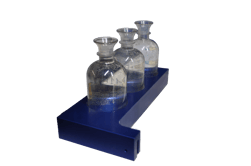
Available as an optional add-on, MANTECH offers a separate fixed rack located in front of the rinse station for placing calibration solution, storage solution(s), and QC checks instead of limiting the sample rack capacity. Capacities range based on autosampler and tube/cup size.
BOD QC Rack Options
| Part Number | # of Positions | Bottle Size | Autosampler Model |
| PB-10265 | 3 | 300mL | All AM400 Models |
What is the difference between membrane and optical DO probes?
BOD Pro Software™ detects the optimal time to automatically turn on the stirrer while taking DO readings. This feature improves operational efforts for analysts and streamlining your runs.
MANTECH’s BOD Pro analyzers utilize one of two dissolved oxygen probes from YSI for automated dissolved oxygen determination. View the measuring ranges of both probes, along with links to their complete specification sheets here.
Is the stirrer turned on manually or automatically?
BOD Pro Software™ detects the optimal time to automatically turn on the stirrer while taking DO readings. This feature improves operational efforts for analysts and streamlining your runs.
What is the maximum batch size of BOD Pro analyzers?
Although the number of racks is limited by the capacity of the autosampler performing BOD, there is no batch size limit. For example, an AM403 BOD Pro system using 18-place racks has a 54-position capacity but a batch of more than 54 can be set up in the software. Users would simply need to switch out the racks once the position capacity is reached. The BOD system would stop, and the software would prompt the user to add the next rack(s) in the batch.
How long does it take to measure initials and finals on a MANTECH AM400 series multi-rack system?
The length of time to measure initials and finals on a MANTECH AM400 series multi-rack system takes about 90 seconds but may vary depending on the method of sample preparation, sampler size, and probe style. For an individualized estimate contact us at [email protected].
Which regulatory standards do MANTECH’s BOD Pro systems conform to?
BOD Pro systems conform to: ASTM Standard Methods 5210B, 23rd and 24th editions, EPA 405.1, ISO EN 5815-1, ISO EN 1899-1, -2.
BOD Application
Are BOD results affected by atmospheric pressure changes?
Generally speaking, dissolved oxygen readings are dependent on atmospheric pressure. This is because the density of water changes with pressure, and this in turn affects the mg/L of dissolved oxygen. Here is a resource describing the “why” behind this. It is also dependent on temperature for similar reasons.The YSI meter does compensate for changes in atmospheric pressure. Here is a document explaining this. The document also provides advice for troubleshooting when challenges are occurring in BOD testing. One important aspect is to make sure you are calibrating the probe before each day of testing.
What is the BOD of raw sewage?
BOD can also be defined as the amount of oxygen required by the micro-organisms in the stabilization of organic matter. The results are generally expressed as the amount of oxygen taken by 1L sample (diluted with aerated water) when incubated at 20 degree for five days. BOD of raw sewage is 300-600 mg/L.
What does high BOD indicate?
BOD indicates the amount of putrescible organic matter present in water. Therefore, a low BOD is an indicator of good quality water, while a high BOD indicates polluted water. Dissolved oxygen (DO) is consumed by bacteria when large amounts of organic matter from sewage or other discharges are present in the water.
What is the difference between BOD and CBOD?
Biochemical oxygen demand (BOD) is a way to assess the amount of oxygen required for aerobic microorganisms to decompose the organic material in a sample of water over a specific time frame. It is the oxygen uptake demand of a source of water. Carbonaceous biochemical oxygen demand (CBOD) is the same method as BOD, but the nitrifying bacteria in the sample are inhibited. Nitrifying bacteria consume nitrogenous materials (compounds with reduced forms of nitrogen) and add to the oxygen demand of the wastewater. Nitrogenous materials are often seen as interference because the purpose of the BOD test is to measure carbonaceous material.
What is biochemical oxygen demand (BOD)?
Biochemical Oxygen Demand (BOD), also often referred to as biological oxygen demand, is a test performed to measure the potential of wastewater and other waters to deplete the oxygen level of receiving waters. In other words, the BOD test is performed to determine what effect dirty water, containing bacteria and organic materials, will have on animal and plant life when released into a stream or lake.
MT Analyzer
Applications
How can the Permanganate Index test be automated?
MANTECH is able to automate all aspects of the permanganate index test including automated sample heating, acid and reagent addition, and titration with calculation of results. The analysis can also be optimized for maximum throughput capacity through a batch setup where multiple samples at once are heated, prepared, and analyzed all within the timing specified in the ISO 8467 method. Overall, the benefit of the batching process is much quicker time per sample overall since you are making use of the 10 minute wait times between adding the reagents instead of the system just sitting and waiting.
The time per sample for single analysis is roughly 25 minutes per sample taking into account all the waiting times and about 3 minutes for the actual titration.
For the batch analysis, you get roughly 12 samples per batch and the batch takes roughly 60 minutes to complete, making it only about 5 minutes per sample.
Below are the steps both for single analysis and batch analysis:
Single Analysis:
- A blank analysis performing the steps 3-11 listed below, using DI water as the sample, is run and the blank endpoint volume is used in the calculation of sample results for the run.
- After titrating the blank sample, 5mL of 0.005M Sodium Oxalate is added to the titrated sample, then after a brief mixing period the titration is performed again. The endpoint volume is recorded as the standardization volume and is also used in the calculation of sample results for the run.
- 25mL of the sample volume is pipetted into each sample beaker, and sample protect caps are placed on the beakers.
- The Heating Element are turned on. Heating is to be applied keeping the sample temperature between 96-98°C during the following steps until the element is turned off.
- The Sample Protect cap is removed and 5mL of 2.0M Sulfuric Acid is pipetted into a beaker. The stirrer turns on briefly to mix the solution, then the sample protect cap is placed on the beaker.
- 10-minute wait time.
- The Sample Protect cap is removed and 5mL of 0.002M Potassium Permanganate solution is added. The stirrer turns on briefly to mix the solution, then the sample protect cap is placed back on the beaker.
- 10-minute wait time.
- The Sample Protect cap is removed and 5mL of 0.005M Sodium Oxalate solution is added. The stirrer turns on to mix, at which point the solution will briefly change color but eventually become colorless.
- 1-minute wait time.
- The solution is titrated with 0.002M Potassium Permanganate to a faint pink color. This color is measured with the photometric probe.
- Steps 5 to 11 are repeated for all remaining samples.
Batch Analysis:
- A blank analysis performing the steps 3-13 listed below, using DI water as the sample, is run and the blank endpoint volume is used in the calculation of sample results for the run.
- After titrating the blank sample, 5mL of 0.005M Sodium Oxalate is added to the titrated sample, then after a brief mixing period the titration is performed again. The endpoint volume is recorded as the standardization volume and is also used in the calculation of sample results for the run.
- 25mL of the sample volume is pipetted into each sample beaker, and sample protect caps are placed on the beakers.
- The Heating Element are turned on. Heating is to be applied keeping the sample temperature between 96-98°C during the following steps until the element is turned off.
- The Sample Protect cap is removed and 5mL of 2.0M Sulfuric Acid is pipetted into a beaker. The stirrer turns on briefly to mix the solution, then the sample protect cap is placed on the beaker.
- Step 5 is repeated for multiple sample beakers in a row, until 10 minutes has elapsed since the acid was added to the first beaker. The set of beakers that get acid added to them within the 10 minute time become the first “batch”.
- After 10 minutes has elapsed, the system moved back to the first sample beaker in the batch.
- The Sample Protect cap is removed and 5mL of 0.002M Potassium Permanganate solution is added. The stirrer turns on briefly to mix the solution, then the sample protect cap is placed back on the beaker.
- Step 8 is repeated for the remaining beakers in the batch determined from Step 6. Roughly 10 minutes should elapse from when the permanganate was added to the first beaker.
- After 10 minutes has elapsed, the system moved back to the first sample beaker in the batch.
- The Sample Protect cap is removed and 5mL of 0.005M Sodium Oxalate solution is added. The stirrer turns on to mix, at which point the solution will briefly change color but eventually become colorless.
- 1-minute wait time.
- The solution is titrated with 0.002M Potassium Permanganate to a faint pink color. This color is measured with the photometric probe.
- Steps 11-13 are repeated for the remaining samples in the first batch.
- After the first batch is complete, the system repeats steps 5-14 for all remaining samples in the run, creating as many “batches” as required to complete the full set of samples.
Watch MANTECH’s Automated Permanganate Index System in action here
What is ppm (mg/L) of chloride for different conductivity standards?
KCI ➡️ K + Cl
| US | mg/L KCl | g/L KCl | m KCl | Cl-ppm |
| 10 | 5.272469922 | 0.005272 | 7.07227E-05 | 2.507332215 |
| 100 | 52.72469922 | 0.052725 | 0.000707227 | 25.07332215 |
| 147 | 77.50530786 | 0.077505 | 0.001039624 | 36.85778356 |
| 1,143 | 745 | 0.745 | 0.009993119 | 354.286042 |
| 12,000 | 6326.963907 | 6.326964 | 0.084867251 | 3008.798658 |
How are individual carbonate, bicarbonate, and hydroxide species reported in their own ionic concentrations from Alkalinity?
Once Total Alkalinity (T-Alk) and p-Alkalinity (p-Alk) are calculated, additional equations are created to back-calculate how much of the alkalinity exists as carbonate (CO3²⁻), bicarbonate (HCO3⁻), and hydroxide (OH⁻) using each species’ own equivalent weight, so the speciation is reported in true ionic concentrations rather than as CaCO3 equivalents. View more details here.
What methods of lime analysis can be automated?
MANTECH systems conform to Tex-600-J and Tex-406-A Part III. Automated titrations (and back titrations) utilizing hydrochloric acid, sodium hydroxide, and other solutions are automated via MANTECH’s high precision 100,000 step buret with pH measuring range from 0-14. Tex-600-J includes sampling and testing of: hydrated lime, quicklime, commercial lime slurry and carbide lime slurry.
What is measuring range of the Model C10 conductivity meter?
The measuring range is 0.000uS/cm to 2,000mS/cm. The supplied conductivity probe has the same measuring range. The conductivity has a built-in PT1000 temperature probe for automated temperature compensation.
How can I determine true or filtered colour using turbidity measurement instead of filtering of the sample?
True or Filtered Colour is determined by filtering samples through a 0.45 micron filter before analyzing the sample in a spectrophotometer. When running large amounts of samples on automated systems, this filtering can become time consuming and heavy on resource usage. An alternative method for determining true colour without filtering has been established, through the use of a turbidity meter to quantify the contribution from solids present in the sample. MANTECH can easily combine automated Turbidity and Colour analysis on one system, determined from one sample, to provide True Colour results without the need to filter.
The determination is as follows:
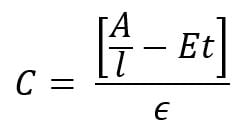
- C is the colour result.
- A is the sample absorbance.
- l is the cell path length.
- E is the scattering coefficient estimated at 0.00264 NTU-1 cm-1.
- t is the turbidity.
- e is the color absorptivity coefficient.
Why do I need to standardize my NaOH?
NaOH is highly hygroscopic, meaning that it absorbs water from the air. Therefore, over time the titrant will become more dilute as it absorbs water. NaOH can be standardized by titrating into a sample of potassium hydrogen phthalate (KHP) of known concentration. For example, titrate 0.05 N KHP with 0.1 N NaOH to an endpoint, and using the volume of NaOH added, the precise concentration of NaOH can be calculated. For more information on standardizing NaOH titrant, please refer to Standard Methods 2310. To limit the amount of water being absorbed, a glass drying tube with a cotton ball inserted should be used to prevent moisture going into the tube.
What is the method for hot acidity determination?
Hot acidity is a variation of the standard Acidity titration using NaOH, with some pretreatment steps performed before the titration. It is outlined in Standard Methods SM2310B, officially called “hot peroxide treatment procedure for acidity determination”. This method is applicable to mine wastes and other samples containing large amounts of metals such as heavy industrial WW.
From SM2310B:
- Use the hot peroxide procedure to pretreat samples known or suspected to contain hydrolysable metal ions or reduced forms of polyvalent cation, such as iron pickle liquors, acid mine drainage, and other industrial wastes.
- Hot peroxide treatment acidity method:
- Pipet sample volume into vessel
- Measure pH
- If pH > 4.0, add small increments of 0.02N H2SO4 to reduce pH to 4.0 or less
- Remove samples from MANTECH system
- Add 5 drops of 30% H2O2 and boil for 2 to 5 minutes
- Cool to room temperature
- Place samples back on MANTECH system and titrate with standard alkali (NaOH) to pH 8.3
- The calculation for hot acidity is shown below:
- Acidity = [((mL NaOH consumed)*(Normality of NaOH)) – ((mL H2SO4 consumed)*(Normality of H2SO4))*50,000]/Sample volume
What are the different types of calibration profiles?
Calibrations can be linear, logarithmic, single-line, and multi-line fit. The calibration method used depends on the method required. pH and colour calibrations are linear, single-line fit calibrations. Conductivity and turbidity calibrations are multi-line, linear type calibrations. ISE (fluoride, chloride, ammonia, etc.) use a logarithmic multi-line calibration type.
What are Nitrates?
Nitrates (NO3) are formed from the two most common elements on earth, Nitrogen and Oxygen. Their presence in soils comes from nitrogen-fixing bacteria in the soil, decay of organic matter, industrial effluents, human sewage and livestock manure. Nitrates are a serious problem since they do not evaporate, and hence remain dissolved and accumulate in the groundwater.
Read MANTECH’s nitrate method abstract here.
What is Salinity?
There are two types of salinity, absolute salinity and practical salinity.
- Absolute salinity is a ratio between the mass of dissolved material in seawater and the mass of the seawater.
- Practical salinity is the ratio of the electrical conductivity of a seawater sample to that of a standard potassium chloride (KCl) solution at the same temperature and pressure.
Read MANTECH’s salinity method abstract here.
What is oxidation reduction potential (ORP/redox)?
Oxidation-reduction potential (ORP), also known as redox potential, refers to the capacity of a solution to oxidize (accept electrons) or reduce (donate electrons). ORP sensors work by measuring the voltage across a circuit formed between the indicator and reference electrodes. When an ORP electrode is placed in a solution containing oxidizing or reducing agents, electrons are transferred back and forth on the measuring surface, generating an electrical potential. Common applications for the ORP method include monitoring water chlorination processes for water disinfection, distinguishing between oxidizers and reducers present in wastewater, and metal screening.
Read MANTECH’s ORP method abstract here.
What is Ammonia?
Ammonia is a colourless gas that is soluble in water and has a distinctive odour. It is a mild environmental hazard because of its toxicity and ability to remain active in the environment. Direct measurement of ammonia using a calibrated ion selective electrode (ISE) is a quick, accurate and precise way to easily determine ammonia levels.
Read MANTECH’s ammonia method abstract here.
What is Hardness?
‘Hardness’ is defined as the total concentration of alkaline earth ions (Ca2+, Mg2+, Sr2+ and Ba2+) in water. The Ca2+ and Mg2+ ions dominate the alkaline earth ions. Therefore, one can refer to total hardness as the total concentration of the Ca2+ and Mg2+ ions in solution. Hardness is expressed as mg CaCO3/L water sample (ppm CaCO3).
Read MANTECH’s hardness method abstract here.
What is the recommended type standard for automated Turbidity Calibrations and Quality Control?
MANTECH recommends the use of turbidity standards made with suspensions of microspheres of styrene-divinylbenzene copolymer for all turbidity applications. Standard Methods dictate that “Secondary standards made with suspensions of microspheres of styrene-divinylbenzene copolymer typically are as stable as concentrated formazin and are much more stable than diluted formazin.” Any dilutions used to prepare turbidity standards, as well as blanks, must use degassed DI water. This is especially important for accurate low-end turbidity analysis, as there is often a positive bias due to bubbles introduced into the DI water solution when it is being produced/dispensed. This effect becomes more noticeable with lower NTU readings, and can cause challenges with performing an accurate calibration. To degas DI water, it must be dispensed into a very clean bottle or container, and left to sit for ~24h. You will see bubbles form on the side of the container as the water degasses. After degassing, it is ready to use for blanks and standards preparation.
What are the wavelengths used by the T10 turbidity meter?
The IR (infrared) light version of the T10 and T20 turbidity meters use an emitter and detector specifically at 860nm. The WL (white light) version of the meter uses a tungsten lamp and a photodiode detector, both of which operate within the full visible light spectrum. The photodiode detector has a spectral peak response between 400-600nm.
What is the wavelength measured for turbidity by Standard Methods (white light)?
Standard Method 2130B (Nephelometric Method) specifies that a laboratory or process nephelometer should have a detector system with a spectral peak response of 400 to 600 nm. MANTECH’s T10 and T20 Turbidity meters and automated turbidity applications conform to this requirement. The T10 and T20 turbidity meters are designed specifically to conform to the international requirements for reporting turbidity measurements. The IR version conforms to ISO 7027 and EN27027. The WL version conforms to APHA SM 2130B, ASTM D1889, and EPA 180.1. Both can be used on the same system if conforming to multiple standards is required.
What is Turbidity?
Turbidity is defined as the amount of suspended particles in a solution, measured in nephelometric turbidity units, (NTU). It is used as a general indicator of the quality of water, along with colour and odour. The US EPA has a maximum contaminant level (MCL) of 5 NTU for drinking and wastewaters.
Read MANTECH’s turbidity method abstract here.
Do I need a stirrer for my conductivity measurements?
MANTECH utilizes rapid dipping of conductivity probes into sample tubes to mix samples and ensure a stable analysis of conductivity from the probe. This style of mixing is applicable to systems featuring a 12mm conductivity probe dipping into 50mL sample tubes, and systems featuring a 5mm conductivity probe dipping into 15mL sample tubes. For all other combinations of probe and sample vessel, a stirrer is required to ensure proper mixing is achieved.
What is Conductivity (EC)?
Conductivity, also known as electrical conductivity, is used to measure the concentration of dissolved solids which have been ionized in a polar solution such as water.
Read MANTECH’s conductivity method abstract here.
What is Gran analysis and why is Gran alkalinity important?
Gran analysis is an effective alternative method for endpoint and pKa detection. Using a series of mathematical manipulations, standard titration curves are transformed into linear data called ‘Gran functions’. Endpoints and pKa’s are determined by performing a linear regression on these functions. In many cases, Gran analysis provides a more accurate endpoint, or identifies endpoints not evaluated in Standard Methods.
How is alkalinity speciated into carbonate, bicarbonate and hydroxide fractions?
The main compounds of alkalinity are: hydroxides (OH–), carbonates (CO32-), and bicarbonates (HCO3–). The alkalinity, or buffering capacity, of a solution depends on the absorption of positively charged hydrogen ions by negatively charged bicarbonate and carbonate molecules. When bicarbonate and carbonate molecules absorb hydrogen ions, there is a shift in equilibrium without a significant shift in pH. A sample with high buffering capacity will have high bicarbonate and/or carbonate content, and a greater resistance to changes in pH.
For more information on MANTECH’s method for automated alkalinity measurement and how the species of alkalinity are calculated, download the pdf.
What is Alkalinity?
Alkalinity refers to the capability of water to neutralize acid, also known as an expression of buffering capacity. A buffer is a solution to which an acid can be added without changing the concentration of available H+ ions (without changing the pH) appreciably. In other words, a buffer absorbs the excess H+ ions and protects the water body from fluctuations in pH.
Read MANTECH’s alkalinity method abstract here
What is pH?
The potential of hydrogen (pH) is a measure of hydrogen ion (H+) concentration. Solutions with a high concentration of H+ ions have a low pH (acidic). Solutions with a low concentration of H+ ions have a high pH (alkaline).
Read MANTECH’s pH method abstract here.
How is a Method Detection Limit (MDL) defined?
A Method Detection Limit (MDL) is defined in slightly differing ways by the US EPA, and the APHA. MDL as per US EPA: The method detection limit (MDL) is defined as the minimum measured concentration of a substance that can be reported with 99% confidence that the measured concentration is distinguishable from method blank results. MDL as per APHA: (MDL) is defined as the constituent concentration that, when processed through the entire method, produces signal that has a 99% probability of being different from the blank.
General Information
How does MANTECH perform automated in-line filtering of samples?
The MANTECH color system can be set up with a multiple in line filters in parallel between the autosampler and the spectrophotometer. The system pumps sample through the filter and automatically switches from one filter to the next at the specified times. This can either be determined by a set number of samples per filter, or by a flow detection system where there is a sensor detecting when the flow through the filter drops below a certain threshold, at which point the system automatically switches to the next fresh filter and continues the run.
A general example of the run sequence using flow detection would be:
- Sample 1 runs through filter 1, flow does not decrease below the threshold, no change of filter
- Sample 2 runs through filter 1, flow does not decrease below the threshold, no change of filter
- Sample 3 runs through filter 1, flow decreases below threshold for clogged valve, system switches to filter 2
- Sample 4 runs through filter 2, flow does not decrease below the threshold, no change of filter
- Sample 5 runs through filter 2, flow decreases below threshold for clogged valve, system switches to filter 3
- Sample 6 runs through filter 3, flow does not decrease below the threshold, no change of filter
- Etc. for remainder of samples, or until all filters are clogged up
- If all filters become clogged up, run pauses and informs user to switch the filters and start back up
How many burets and pumps can be added to an analyzer?
All MT models can include up to 20 burets, 30 IntelliPeri™ pumps and 30 IntelliDose™ pumps.
How does Dynamic Injection Control work on a MANTECH automated titration system?
MANTECH utilizes a method called Dynamic Injection Control while performing an automated titration to ensure that the titration curve is smooth and accurate, leading to the best precision on results. Dynamic injection control works by providing a user set volume range for each injection, with the range being between 25mL and 0.001mL for any single injection and then applying different volume injections to try and achieve a target change in the electrode measurement. The electrode measurement can either be pH units or millivolts.

For example, the titration can be set with a volume range of 0.01mL to 1.00mL, with a target change in electrode measurement of 10mV per injection. The system will start with an injection in the middle of the range, for example 0.1mL, and then look at the change in mV as a result of that injection. If the change in mV is less than the target, then the next injection increases in size, for example to 0.2mL. The system will again look at the change in mV from that last injection, then take that into account in determining the size of the next injection. Using this method, the automated titration can move quickly with large injections through portions of the titration where little change in the measurement is occurring, then automatically detect when the titration is approaching an endpoint and dynamically decrease the injections as the rate of change increases to ensure the most precise detection of the endpoint volume.

In addition to looking at measurement the rate of change, or first derivative, of the titration curve, the MANTECH automated titration system also looks at the second derivative of the curve. The second derivative represents the acceleration of the measurement and has a significant impact on the system’s ability to detect a rapid inflection, for example due to strong acid/base titrations and colorimetric titrations where the endpoint change occurs very rapidly.

The MANTECH Pro software provides the user with full control over the dynamic injection control settings, including the min/max injection volume, starting injection volume, target change in mV or pH, and other useful settings such as endpoint windows and differing smoothing settings for the first and second derivative determination. Contact MANTECH at [email protected] for more information!
Does the MANTECH Buret conform to Class A buret specifications?
Yes, MANTECH burets conform to Class A specifications as per ASTM E287 – Standard Specification for Laboratory Glass Graduated Burets. The standard defines the requirements for Class A and B burets as follows:
TABLE 1 Requirements for Burets
| Graduated Scale | |||||||
| Capacity, mL |
Subdivision, mL Class A and B |
Class A Scale Length, mm 0 to Capacity |
Class B Scale Length, mm 0 to Capacity |
Distance, Top of Buret to “0” Graduation, mmA |
Class A and B Number Each, mL |
Class A Volumetric Tolerance, ±mL |
Class B Volumetric Tolerance, ±mL |
| 10 | 0.05 | 350 to 450 | 250 to 450 | 30 to 75 | 0.5 | 0.02 | 0.04 |
| 25 | 0.1 | 350 to 450 | 250 to 450 | 30 to 75 | 1 | 0.03 | 0.06 |
| 50 | 0.1 | 500 to 600 | 500 to 600 | 40 to 100 | 1 | 0.05 | 0.10 |
| 100 | 0.2 | 550 to 650 | 550 to 650 | 40 to 100 | 2 | 0.10 | 0.20 |
MANTECH burets are available with 10mL and 25mL syringes, and have a resolution of roughly 100,000 steps providing precise injections down to the microliter level. Actual performance of burets and syringes are verified in MANTECH’s QC process with accepted tolerances exceeding requirements of ASTM E287, and a report is provided with each new syringe.
Users can perform their own verification of dispense volume accuracy by navigating to Hardware>Manual Control>Buret in MANTECH Pro software
What information is required to automate multi-parameter and titration-based applications?
Automating multi-parameter and titration-based applications can greatly increase the efficiency and throughput of a laboratory. To automate these analyses, let us know which parameters you are looking to automate, any SOPs you can provde for the requested applications, number of samples you run per day, week, batch, etc.
What is the chemical compatibility of the tubing in MANTECH pumps?
The tubing used in MANTECH peristaltic and metering pumps is compatible with many types of chemicals. The following is a list of chemicals that are not recommended to be used with MANTECH tubing/pumps.
Chemicals without listed concentrations are assumed to be 100% concentrations/the maximum percent solubility in water.
| Acetaldehyde | Ethyl Benzoate | Methyl Methacrylate |
| Acetone | Ethylene Bromide | Mineral Oil |
| Aliphatic Hydrocarbons | Fluoboric Acid, 48% in w | Mineral Spirits |
| Amyl Alcohol | Fluorine Gas | Motor Oil |
| Aqua Regia | Formaldehyde, 37% in w | Naphtha |
| Aromatic Hydrocarbons | Fuel Oil | Naphthalene |
| ASTM Reference No. 2 Oil | Furfural | Nitric Acid, 68-71% in w |
| ASTM Reference No. 3 Oil | Gasoline, Automotive | Nitrobenzene |
| Benzaldehyde | Heptane | Nitromethane |
| Benzene | Hexane | Oils, Essential |
| Benzenesulfonic Acid | Hydrobromic Acid, 20 -50% in w | Oils, Hydraulic (Phosphate Ester) |
| Bromine, Anhydrous Liquid | Hydrobromic Acid, 100% in w | Oils, Hydrocarbon |
| Butyl Alcohol | Hydrofluoric Acid, 10% in w | Ortho Dichlorobenzene |
| Carbon Disulfide | Hydrofluoric Acid, 25% in w | Paraffins |
| Carbon Tetrachloride | Hydrofluoric Acid, 40 -48% in w | Picric Acid, 1% in w |
| Chlorine, Wet Gas | Isooctane | Skydrol 500A |
| Chlorobenzene, Mono, Di, Tri | Jet Fuel, JP8 | Styrene Monomer |
| Chloroform | Kerosene | Sulfur Chloride |
| Chlorosulfonic Acid | Ketones | Sulfuric Acid, 95-98% in w |
| Cresol (m, o, or p) | Lemon Oil | Tetrahydrofuran |
| Cyclohexane | Limonene-D | Toluene |
| Cyclohexanone | Lubricating Oils, Petroleum | Trichloroethylene |
| Diesel Fuel | Methyl Ethyl Ketone (MEK) | Turpentine |
| Dioxane | Methyl Isobutyl Ketone | Xylene |
What is the difference between 2-pole and 4-pole conductivity probes?
4-pole sensors have a much broader linear measurement range and are not sensitive to contamination. MANTECH accounts for the difference between 2-pole and 4-pole conductivity probes through the use of the multi-line software calibration.
How does MANTECH account for temperature compensation and correction in conductivity measurements?
Conductivity is a temperature dependent measurement. All substances have a conductivity coefficient which varies from 1% per °C to 3% per °C for most commonly occurring substances. The automatic temperature compensation on the MANTECH Conductivity meter defaults to 1.91% per °C, this being adequate for most routine determinations.
Temperature-corrected Conductivity is calculated by:
- Subtract the current temperature of your standard from 25°C (or whichever reference temperature applies).
- Multiply the result by 1.91% which is your default temperature coefficient.
- Multiply the result by the uncorrected conductivity value.
- Add the result to the uncorrected conductivity value. If the sample temperature is higher than the reference temperature, the result of step 1, 2, and 3 are negative numbers so it is a subtraction from the uncorrected conductivity value.
- The result is the corrected conductivity value.
Example: Uncorrected conductivity value is 1200uS, current temperature is 21.4°C, reference temperature is 25°C, default correction factor of 1.91%
- 25.0 – 21.4 = 3.6
- 3.6 * 0.0191 = 0.06876
- 0.06876 * 1200 = 82.51
- 1200 + 82.51 = 1282.51uS <— Temperature Corrected Value for Reference Temperature 25°C
Conductivity readings varying with temperature may be due to the substances under test having a coefficient other than the typical value of 1.91% per °C. To eliminate this variation it is necessary to maintain all samples at the reference temperature by use of a thermostatic water bath or equivalent.
Adjustment may be made by entering the 4510 conductivity meter SETUP menu and selecting COEFF. The reading can then be adjusted to the required value (0.00 to 4.00) by using the keypad. A setting of 0.00 will mean that there is no temperature compensation being applied.
How does MANTECH account for temperature compensation and correction in pH measurements?
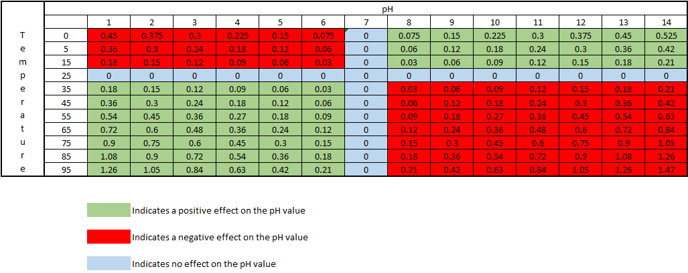
As the temperature of a solution changes, the actual pH changes. This is not an error of the probe or meter being used, but is the actual pH of the solution at that particular temperature. The temperature effect on the pH value is 0.003 pH units per oC away from 25oC, per pH units away from pH 7. This effect can be either negative or positive, depending on if the temperature is above or below 25oC, and if the pH is above or below pH 7. At 25oC and pH 7, there is no change in the pH value.
The chart below shows how the actual pH changes with temperature and pH, which allows you to correct the pH reading to 25oC. As an example, if a sample measured pH 5 at a temperature of 5oC, the chart indicates this a negative effect, therefore the sample pH would be 5 – 0.12 = 4.88pH corrected to 25oC:
MANTECH software accounts for temperature by recording the temperature during calibration via a thermistor probe, then it corrects the pH reading at the time of measurement to account for the difference in measured temperature of the sample vs. the calibration buffers. The reported pH value is the corrected value @ the sample temperature. The equation below shows how the PC-Titrate software calculates pH:
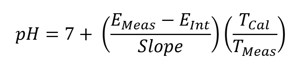
EMeas = Voltage measure by electrode at the time of titration (mV)
EInt = Voltage of the Intercept value calculated from the calibration equation. (mV)
Slope = slope of the line calculated from the calibration equation. (mV)
TMeas = temperature measured at the time of pH measurement (K degrees)
TCal = temperature taken at the time of last calibration. (K degrees)
MANTECH also offers the option to report pH values corrected to a set temperature, such as 25°C. This is implemented in the software as an additional step after the sample pH is recorded. MANTECH offers this as a feature for new MT-Series systems, or as an upgrade to existing MANTECH systems.
How do MANTECH systems measure and record temperature?
The standard method for measuring temperature is with a USB-connected stainless steel thermistor probe. The specifications for this probe are below:
- Communication: USB controlled by MANTECH Pro Software
- Sheath Material: Super OMEGACLAD XL/ Stainless Steel/Inconel
- Temp Range: 0 to 1038 Degree C.
- Diameter: 0.062in
- Length: 6 inch
- Measurement to 3 decimal places
- Autocalibration feature in MANTECH Pro software
Alternatively, when measuring conductivity, one can measure the temperature directly from the conductivity probe. This temperature is also displayed directly on the conductivity meter screen.
MANTECH has the ability to use either of these measurement methods for pH temperature compensation, depending on customer preference and system configuration.
MANTECH temperature sensors are available in both PT1000 and 10kNTC styles. PT1000 sensors have a linear positive-slope relationship between resistance and temperature with a resistance of 1000 ohms at 0°C, and 10kNTC sensors have a curved negative-slope relationship between resistance and temperature with a resistance of 10,000 ohms at 25°C. Both these models of temperature sensor perform well and comparably within the 0-100°C temperature range that liquid samples exist in. If you require a specific type of temperature sensor, please feel free to let MANTECH know and we will accommodate.
What are QC racks and what capacities are available on MT Series?
Available as an optional add-on, MANTECH offers a separate fixed rack located in front of the rinse station for placing calibration solution, storage solution(s), and QC checks instead of limiting the sample rack capacity. Capacities range based on autosampler and tube/cup size.
MT Series QC Rack Options
| Part Number | # of Positions | Tube/Cup Size | Autosampler Model |
| PC-AM400-QC-50-24 | 24 | 50mL | All AM400 Models |
| PC-AM400-QC-50-36 | 36 | 50mL | AM402, AM403, AM404, AM405 |
| PC-AM400-QC-50-48 | 48 | 50mL | AM403, AM404, AM405 |
| PC-AM400-QC-120-9 | 9 | 120mL | All AM400 Models |
| PC-AM400-QC-120-18 | 18 | 120mL | AM402, AM403, AM404, AM405 |
| PC-AM400-QC-120-27 | 27 | 120mL | AM403, AM404, AM405 |
| PC-AM400-QC-125-7 | 7 | 125mL | All AM400 Models |
| PC-AM400-QC-125-14 | 14 | 125mL | AM402, AM403, AM404, AM405 |
| PC-AM400-QC-125-21 | 21 | 125mL | AM403, AM404, AM405 |
How do the MT Series systems prevent cross-contamination between samples?
The MT series prevents cross-contamination with IntelliRinse™ techology. IntelliRinse™ is beneficial because it uses real-time measurement to provide confirmation that your probes are 100% clean, eliminating chances of cross-contamination. Active IntelliRinse™ systems allows users to set user-defined values (e.g. rinse to a specific conductivity value) or to adjust the rinse intensity based on previous sample concentrations before moving to the next sample. This is beneficial as it improves the rinsing of probes/electrodes to ensure that cross-contamination does not occur even with particularly dirty or high-strength samples. There is also the option to have the final value measured during rinsing shown in a column on the results report, for a visual confirmation directly with sample results.
What is the minimum total liquid volume that can be measured for pH, conductivity and alkalinity with the MT Systems?
When using 50mL sample tubes, the minimum total volume can be as small as 6 ml using the TitraPro4 pH electrode and the MANTECH 5mm conductivity probe. This is due to the lower immersion depth of these electrodes and precise autosampler coordinate specifications. When using 125mL sample cups, the minimum total volume can be as small as 15mL.
What is the time of analysis per parameter and for multi-parameter analysis?
The timing for analysis of different parameters depends on several different factors, like the concentration of the sample and the equipment used.
Another factor is the total available sample volume in the vessel on the AutoMax Autosampler bed. With some combinations of parameters, larger sample volume allows for simultaneous measurements, resulting in faster total analysis time than sequential measurement. A larger sample volume may require a larger sample cup, which decreases capacity on the same model Autosampler. For example, an AM401 can accommodate 112x50ml tubes, or 62x125ml cups. In some, the cases the same set of parameters can be analyzed in 2-5 minutes faster when using the 125ml cups vs 50ml tubes.
It is important to understand your requirements in terms of capacity and throughput speed, total batch capacity required and/or daily sample loads and if overnight, unattended analyses will be applicable.
Individual Parameters
| Parameter | Average Time of Analysis (Minutes) per Sample |
| pH | 1 – 3 |
| ISE by Direct Measure | 1 – 5 depending on sample concentration |
| Titrations (Alkalinity, Acidity, Hardness) | 2 – 5 depending on sample concentration, injection rates and stability control in the titration method. |
| Conductivity | 1 – 2 |
| Colour | 2 – 3 |
| Turbidity | 2 – 3 |
Combined Parameters
MT10 & MT30 Models
| Parameters | Estimated Time of Analysis (Minutes) per Sample* | |
| 50mL Tubes | 125mL Cups | |
| pH-Alkalinity | 3 – 4 | |
| Conductivity-pH-Alkalinity | 3 – 4 | |
| Conductivity-pH-Turbidity | 4 – 7 | 3 – 4 |
| Conductivity-pH-Turbidity-Colour
(only MT30 for these suit of parameters) |
6 – 9 | 3 – 5 |
MT100 Model
| Parameters | Estimated Time of Analysis (incl. TitraSip & RapidAlk) | |
| 50mL Tubes | 125mL Cups | |
| Conductivity-pH-Alkalinity | 3 – 5 | 3 – 5 |
| Conductivity-pH-Alkalinity-Fluoride | 7 – 10 with single TitraSip or 3 – 5 with RapidDuo configuration. | |
| Conductivity-pH-Alkalinity-Turbidity | 7 – 10 | 6 – 8 |
| Conductivity-pH-Alkalinity-Colour | 4 – 6 | 4 – 6 |
| Conductivity-pH-Alkalinity-Turbidity-Colour | 8 – 11 | 4 – 6 |
MANTECH Pro Software™
How will I be notified when there is a new MANTECH Pro Software™ update?
At MANTECH, we are continuously updating our software and adding new features. You will receive push notifications if you are connected to the network or if you have an internet connection. If you are offline, you will receive a direct email from MANTECH.
What are shortcuts in MANTECH Pro Software™?
Shortcuts are customizable buttons that users can create from pre-saved templates generated on Run Configuration table. Shortcuts can have its own unique image and be organized by custom headers.
Does MANTECH offer barcoding in MANTECH Pro Software™?
Yes, we do offer barcoding options in MANTECH Pro Software™. Barcoded labels will help you quickly identify results. Barcoded options are available and additional hardware is required
Is MANTECH Pro Software™ compatible with my LIMS?
Yes! MANTECH Pro Software is agnostic, and our CSV import/export functionality is easy-to-use and flexible with all LIMS (laboratory information management system).
What are the required computer specifications to operate MANTECH Pro Software?
MANTECH Pro Software™ will operate on computers with Windows 10 and 11 Pro OS.
Click here to view the minimum computer specifications.
What is MANTECH Pro Software™?
In October 2020, MANTECH has released new software called MANTECH Pro Software™. MANTECH Pro Software™ is a Lab Automation software that is entailed to operate our MT Series systems and PeCOD® analyzers with plenty of features that analysts desire. To learn more about MANTECH Pro Software™, click here for more information.
PC-Titrate Upgrade
What is a titration?
Titration uses a solution of known concentration to determine the concentration of an unknown solution. The titrant (the solution with a known concentration) is added from a buret to a known quantity of the analyte (the solution with an unknown concentration) until the reaction is complete. Knowing the volume of titrant added allows the concentration of the unknown solution to be determined.
What does it mean if I want to upgrade from PC-Titrate to MANTECH Pro Software™?
To ensure a seamless transition for all end-users, PC-Titrate and MANTECH Pro Software™ can run simultaneously from the same computer. Also, MANTECH Pro Software™ has backward compatibility and will operate with most existing hardware. Contact our team to discuss your options.
What will happen with the data on PC-Titrate? Will it be imported into MANTECH Pro Software™?
PC-Titrate can remain the computer currently operating your system and data can be viewed at anytime. Therefore, your data will not be lost and can be kept on that computer. Data saved/archived from PC-Titrate will not be able to be transferred onto MANTECH Pro Software™. Note: To avoid any complications while operating MANTECH Pro Software™, be sure to not use any actions in PC-Titrate that use the Interface, especially during a run on MANTECH Pro Software™.
Will MANTECH Pro Software™ operate the hardware I currently have?
MANTECH Pro will operate most of the hardware you currently have. The following hardware will require an upgrade:
- The old-style Burivar burets will have to be upgraded to our new MANTECH Burets. Burets are operated by an IP address, unique to each Buret, and will require an Ethernet-to-USB adapter we supply (setup will vary by system).
- The old-style Conductivity Meters (4310) will have to upgraded to our 4510 Conductivity Meters. COM port connection is no longer on the Interface but rather through a 1-port or 2-port USB-to-Serial adapter(s) (will vary on system setup).
- The old-style Turbidity Meters (Turbidity AssayPlus) will have to upgraded to our T10 Turbidity Meters.
- Computers Operating System (OS) that is not Windows 10 will not operate MANTECH pro. Minimum computer specifications are listed here.
With the increase in USB connections to the computer, a multi-USB 3.0 hub may also be required.
PDF version for download: Required Hardware Upgrades
Please note: Service and support for PC-Titrate software ended June 30, 2026.
I have an existing PC-Titrate. How do I upgrade and install MANTECH Pro Software™?
Note: Service and support for PC-Titrate software ended June 30, 2026 and PC-Titrate hardware ends December 31, 2027.
To upgrade and install MANTECH Pro Software™ is simple if you have a PC-Titrate. Once an order is placed, a member from MANTECH’s QC team will contact you for your active hinterland database. Once that information is verified, we will copy the methods to MANTECH Pro Software™ and send a USB with the needed adapters for the hardware.
If needed, a member of our team is available to schedule a meeting to ensure that the methods and reports are working to your specific needs.
How to install MANTECH Pro in 4 easy steps:
- Double click on the installer from the USB. Select “Yes” to proceed with the installation. Select “Next” once prompted and unselect “Read Me” once the installation is complete.
- Once the program has been installed, open the %programdata% folder on your computer by searching it in the taskbar. Once that has been opened, use the following pathway to find the folder \MANTECH\MANTECH PRO\Database.
- Add the DB.SQLite file from the USB to the database folder. Add the tray file from your USB to the Tray Files Folder and move the Documents folder from the USB to the MANTECH PRO Folder.
- You will now be able to register your MANTECH Pro Software™, using the product key and USB.
The best part, PC-Titrate and MANTECH Pro Software™ can operate on the same computer with the same hardware minimizing downtime and making the transition easy and risk-free!
PeCOD® COD/BOD Analyzer
COD Application
Why is COD higher than BOD?
COD is normally higher than BOD because more organic compounds can be chemically oxidized than biologically oxidized. This includes chemicals toxic to biological life, which can make COD tests very useful when testing industrial sewage as they will not be captured by BOD testing.
What is the COD BOD ratio in domestic sewage influent?
BMS have recorded average ratios of 2-3 mg/l COD to 1 mg/l BOD over its 30 years of business. Influent COD in normal domestic sewage is therefore generally 600 – 900 mg/l and it is then treated to at least 30 -100 mg/l before discharge to minimize pollution potential.
How should COD samples be stored?
MANTECH recommends storing samples in the laboratory fridge vs preserving samples. If you do choose to preserve your samples, use H2SO4 to adjust the pH of your samples to ~2.
What is the difference between chemical oxygen demand and biochemical oxygen demand?
Chemical Oxygen Demand (COD) analysis is a measurement of the oxygen-depletion capacity of a water sample contaminated with organic waste matter. Specifically, it measures the equivalent amount of oxygen required to chemically oxidize organic compounds in water. The traditional COD method is the wet chemistry method, dichromate COD (CODCr). This involves a two hour digestion at high heat under acidic conditions and involves hazardous chemicals such as mercury and dichromate. Biochemical Oxygen Demand (BOD), also often referred to as biological oxygen demand, is a test performed to measure the potential of wastewater and other waters to deplete the oxygen level of receiving waters. The BOD test involves taking an initial dissolved oxygen (DO) reading and a second reading after five days of incubation at 20°C. For this reason, this test is often written as BOD5 for short. MANTECH has developed an automated COD method utilizing a new, rapid and green technology called the PeCOD® COD Analyzer. This method directly measures the amount of oxidizable material in a sample via photoelectrochemical oxidation in a microcell, eliminating the need for time-consuming digestion and hazardous chemicals as only an electrolyte solution is required for analysis.
What is chemical oxygen demand (COD)?
Chemical Oxygen Demand (COD) analysis is a measurement of the oxygen-depletion capacity of a water sample contaminated with organic waste matter. Specifically, it measures the equivalent amount of oxygen required to chemically oxidize organic compounds in water. COD is used as a general indicator of water quality and is an integral part of all water quality management programs. Additionally, COD is often used to estimate BOD (Biochemical Oxygen Demand) as a strong correlation exists between COD and BOD, however COD is a much faster, more accurate test. Learn more here.
What happens if COD is high?
Higher COD levels mean a greater amount of oxidizable organic material in the sample, which will reduce dissolved oxygen (DO) levels. A reduction in DO can lead to anaerobic conditions, which is deleterious to higher aquatic life forms.
What causes high COD in wastewater?
COD increases as the concentration of organic material increases. It also increases if inorganic compounds susceptible to oxidation by the oxidant (typically dichromate) are present. Water with high COD typically contains high levels of decaying plant matter, human waste, or industrial effluent.
General Information
How does the PeCOD® Analyzer calculate COD?
The PeCOD® analyzer performs advanced oxidation on a small volume of sample. As the reaction proceeds, electrical charge is generated proportional to the oxygen being consumed. The PeCOD® analyzer captures this generated charge, plotting the output current from the reaction over time as shown below. The area under the curve generated by plotting current over time is proportional to the oxygen demand of the sample. A blank charge is also determined for each sample, and subtracted from the total charge to ensure accuracy.
View the detailed overview of peCOD technology and calculations here.

Why are my PeCOD values reading low in comparison to the dichromate method?
The most common cause is chloride interference.
Chloride interference can impact COD outputs no matter what methodology is used. For the PeCOD method, the interference is negative – the samples are measured as having lower COD values than expected (see the figure below for recommended limits). Meanwhile for the dichromate method, the interference is positive and results in higher COD values. This results in a significant discrepancy between the two different methods with neither measurement accurate when a chloride interference exists!
The solution for this challenge is as simple as diluting the problematic samples until the chloride concentration falls below the maximum allowance. The lowest range on the PeCOD has a maximum allowance of 400 mg/L while the . This can be increased to 1500 mg/L with supplementary mercury sulphate. Additionally, the detection limit of COD in the PeCOD is 0.7 mg/L in Advanced Blue and 1.0 mg/L in Green range. It is 50 mg/for the dichromate method when looking for quantitative results or 1.0 mg/L when estimated. This makes the PeCOD more suitable for both low-COD high-chloride samples as well as samples that need significant dilution due to high chloride levels.
In addition to the PeCOD method having higher chloride tolerance with lower detection limits, COD (and BOD) results are generated in 10 minutes utilizing a safe and green method.
What is the difference between the PeCOD® L50 and the PeCOD® L100?
The L50 is the newer, more cost efficient model of the PeCOD®. It uses the same method, reagents, and software as the L100. Improvements were made with the fluidics and space requirement in the L50 model.
What are the specifications of the external battery pack for the PeCOD® L50?
Type of Battery: Rechargeable NiMH battery, Battery Voltage: 12V, Battery Capacity: 3.8 Ah, Battery Life: Entire day of typical PeCOD® use, Charging Time: Approximately 9.5 hours
What is the difference between the benchtop and portable PeCOD®?
The PeCOD® L50 analyzer is applicable for both benchtop and portable use, with the external battery and carrying case.
What is the typical initial PeCOD® shipping weight and dimensions?
An investment in the safe, green, and fast PeCOD® Analyzer includes the PeCOD® L50 Analyzer, starter kits, and consumables. This is typically packed in two cartons with the following weight and dimensions: Box 1 (starter kits and consumables) – 16” x 15” x 14”, 32lbs/41cm x 39cm x 36cm, 15kg, Box 2 (PeCOD® L50) – 16” x 15” x 16”, 21lbs/41cm x 39cm x 41cm, 10kg
How much bench space do I require for a typical PeCOD® L50 set-up?
The typical benchtop PeCOD® L50 set-up requires 36 inches x 18 inches of bench space which includes space for a laptop to access MANTECH Pro Software™
How is the PeCOD® Analyzer calibrated?
Calibrations are comprised of 6 different stages. The first stage is called the “Normalization Phase” and lasts 100 seconds. During this time, the LED strength is adjusted to maintain a baseline electrical current of 20 mA. This is performed on the blank solution, containing range specific electrolyte and COD free deionized water. Once the LED is set, oxidation of the blank solution will occur. This is comprised of 3 stages, visualized by 3 distinct curves. The stages are known as the Burn-In, Pre-Burn, and Oxidation of port B. The blank acts as a zero reference for the calibration based on the charge generated from the DI and electrolyte mixture. The area under the curve is used to quantify charge. Once the Port B stages have completed, the Port A stages will begin. The calibrant and electrolyte mixture is introduced across the TiO2 sensor, where similar Pre-Burn and Oxidation curves are generated. The concentration of the calibrant is determined based on the sample COD range. Once the specified number of calibrations have completed, the calibrant solution can be run as a sample (referred to as a QC check). It is expected that the COD result will be + / – 5% of the standard COD value.
What information is required for PeCOD® analysis?
PeCOD® can greatly increase the efficiency and transparency of chemical oxygen demand (COD) or estimated biochemical oxygen demand (BOD) results of a laboratory, factory, wastewater treatment plant and more. To perform this analysis, the following information is required:
- What is the COD or BOD concentration range to measure?
- COD:
- BOD:
- How many samples will be analyzed per day or per week? Whichever applies.
- Why do you measure COD currently? For example, production control, effluent compliance, etc.
- Do you do on-site treatment? If so, What is the treatment train?
What items are required for each PeCOD® configuration (benchtop, automated, or online)?
Based on the PeCOD® model (benchtop, automated, or online), each system configuration will differ. To view the items required for each model, click here.
How do I prepare my water/wastewater sample for PeCOD® analysis using a homogenizer?
Can the PeCOD® analyzer analyze sludgy/dirty samples with large particles?
For samples containing particles larger than 50μm, a pre-filtration or homogenization step is required. For biochemical oxygen demand (BOD) analysis, a simple pre-filtration step is required. MANTECH has a Sample Filtering Guide for PeCOD® Analysis. For chemical oxygen demand (COD) analysis, no filtering required as we recommend a homogenizer that gets all particles to a 1micron size. MANTECH recommends:
PRO200 Homogenizer with SS Probe – This is our base model and setup can be used within 5ml-50ml tubes with sample piece size of 10mm or less or liquid base sample up to 100ml. (MANTECH part number: PCH-4000-197)
PRO250 Homogenizer with SS Probe – When there is a more viscous/thick or larger solid sample piece over 10mm, our 20mm X 115mm SS Probe would be needed. This homogenizer & probe setup can cover 50ml-500ml tubes/beakers. Other probes can be used with this Homogenizer for even larger volumes. (MANTECH part number: PCH-4000-198)
Homogenization can be automated using the autosampler arm and in our online analyzer.
For pulp and paper and wastewater applications, MANTECH recommends using a 35um polyethylene (PE) syringe filter. These filters can contribute trace amounts of organics, which are negligible for wastewater applications. For drinking and source water applications it’s important to use a filter that does not contribute organics to the filtered sample. One of MANTECH’s research partners has recommended a 0.45um polyether sulfone (PES) filter; however, other filter types may also be acceptable, if no organics are contributed by the filter. Since these applications traditionally see less particulates, having a smaller pore size filter hasn’t shown an impact on the PeCOD® results.
Will PeCOD® correlate with my BOD results?
What temperature should my PeCOD® samples be analyzed at?
The temperature range that PeCOD samples should be analyzed is between 10 to 30°C. For samples that are outside of this temperature range, the addition of electrolyte (which is stored at room temperature) prior to analysis will help to bring the sample solution to an acceptable temperature range.
What pH range can the peCOD method measure in?
The peCOD method requires that the pH of a sample AFTER being mixed with electrolyte must be between 4 – 10. To determine if a sample must be pH-adjusted, mix the sample with PeCOD® electrolyte at the proper mixing ratio for your COD range, then test the pH of the mixture. For example, the sample may have a pH of 3.0, but then after preparing with electrolyte, the pH is in the required range, therefore, it is acceptable for immediate PeCOD® measurement. If samples have been preserved in acid, they should be neutralized using sodium hydroxide prior to analysis to avoid a low reading, as well as damage to the sensor. When the sample pH is below 4, the photocatalytic oxidation at the TiO2 sensor is affected, leading to poor reproducibility and charge values below theoretical expectation. Below a pH of 2, the TiO2 displays instability. When the pH is above 10, the charge measured for the reference and sample solution yield lower than expected values, again caused by interference at the TiO2 sensor. Sulphuric acid should be used to lower the pH of samples with a pH of 10 or more.
What is the allowable COD/chloride concentration combinations for PeCOD® analysis?
There are limitations to ensure that after dilution with electrolyte the chloride concentration will be <200mg/L. This means that the allowable chloride concentration of the original sample varies depending on the COD range since each range has a different ratio of sample to electrolyte.
The chart for all the ranges can be viewed here.
How do inorganic compounds affect PeCOD® COD determination?
View this Technical Bulletin for list of inorganic compounds and their effects on PeCOD® COD determination.
Will PeCOD® correlate with my Dichromate COD results?
There is a strong correlation between the PeCOD COD results and the dichromate COD results. To determine this, the two methods were compared vs. the theoretical oxygen demand (ThOD) for 34 organic species. See MANTECH’s technical bulletin for more information on the study.
What is the cost per sample using PeCOD®?
On average, the cost per sample can range anywhere from $3.00-5.00 per sample depending on analysis range and bulk discounting. The cost per sample varies depending on the COD/BOD range and the number of samples analyzed, as this affects consumable usage such as calibrant, electrolyte and sensors. In general, the cost per sample decreases with an increase in the number of samples. There are several reasons for this, one being that the sensor should be replaced monthly, therefore running more samples per month will yield a better return on sensor usage. In addition, the PeCOD® requires a daily calibration; by running more samples per calibration users save on consumable costs associated with calibrant. There are no disposal costs for the PeCOD, whereas disposal costs accumulate via the traditional dichromate method with every sample vial.
| USD Price of Electrolyte | Cost of Electrolyte per Sample (No Duplicates) | Sensor Cost per Sample | Additional Cost per Sample for CAL/QC | Estimated Cost per Sample | |
| Adv. Blue | $415 | $0.52 | $1.79 | $0.50 | $2.81 |
| Green | $338 | $0.85 | $1.79 | $0.50 | $3.13 |
| Yellow | $238 | $1.07 | $1.79 | $0.50 | $3.36 |
All prices in USD and assuming no duplicate samples.
Does PeCOD® conform to regulatory standards?
PeCOD® is utilized as an internal process control tool to make impactful real-time decisions.The PeCOD® conforms to regulatory standards such as the ASTM International Method D8084, the Ministry of Environment, Conservation and Parks, Ontario (MECP) method E3515, and the Health Canada Guidance on drinking water. The ASTM International method for photoelectrochemical oxygen demand is approved for measuring organics in freshwater sources and treated drinking water. The Ontario MECP method E3515 replaced the standard dichromate methods due to the fact that no harmful chemicals are used in the peCOD method. This method now includes PeCOD® as an approved alternate COD method in the Municipal and Industrial Strategy for Abatement (MISA). The PECOD method is also referenced in the Health Canada Guidance on Natural Organic Matter in Drinking Water. COD has been added as a parameter with a <5ppm limit, only the peCOD method is referenced for the parameter, and peCOD is also referenced as a “parameter” to monitor in source waters for drinking water plants. Learn more here.
How does the PeCOD® method compare to BOD, TOC, and conventional COD?
BOD and COD methods differ from TOC because they measure the amount of oxygen that is depleted by organic species in water. There are several common methods to test wastewater and drinking water for organic pollutants, natural and chemical. Chemical Oxygen Demand (COD), Biochemical Oxygen Demand (BOD) and, Total Organic Carbon (TOC) compromise the three main methods of testing water samples. BOD and COD methods differ from TOC because they measure the amount of oxygen that is depleted by organic species in water. Moreover, TOC is a measure of all carbon (both organic and inorganic), rather than the oxygen that is reduced by these species. As written by a TOC manufacturer, “TOC on its own sheds no light on the oxidizability of the measured carbon or the amount of oxygen needed for its biodegradation.” Specific to COD, it measures the reactive fraction of the TOC. This is also known as oxidizability in the European Union. View the full article: Comparison of COD, BOD and TOC Methods for organics, which summarizes the advantages and disadvantages of the COD, BOD and TOC methods, and compares them to the PeCOD method.
How does the PeCOD® analyzer determine oxygen demand?
The PeCOD® analyzer performs advanced oxidation on a small volume of sample. As the reaction proceeds, electrical charge is generated proportional to the oxygen being consumed. The PeCOD® analyzer captures this generated charge, plotting the output current from the reaction over time as shown below. The area under the curve generated by plotting current over time is proportional to the oxygen demand of the sample. A blank charge is also determined for each sample, and subtracted from the total charge to ensure accuracy.
View the detailed overview of peCOD technology and calculations here.
PeCOD® Consumables
How much do the PeCOD® solutions weigh?
| Solution Type | Weight (g) |
| 1L Electrolyte (Adv. Blue range) | 1400g |
| 500mL Electrolyte (Green, & Yellow ranges) | 647g |
| 250mL Calibrant (all ranges) | 312g |
| 250mL Blank (all ranges) | 314g |
| 250mL Check Standards (all ranges) | 311g |
How can I make Calibrant and Check Standard solutions?
View our instructions for producing 1L calibrants, check standards and for more information on these solutions here.
What is the acceptance range for MANTECH’s pre-mixed secondary standards?
The acceptable values for MANTECH’s pre-mixed secondary standards is +/- 20%.
What is used as a quality check standard for PeCOD®?
A separate standard produced by Sigma Aldrich is used for quality control testing of PeCOD® systems. This allows for verification of results and ensures that the system in use produces trusted values. This secondary standard can be diluted into different concentrations, making its use applicable to all COD ranges of solution used with the PeCOD® analyzer. The Sigma Aldrich SKU number for this standard is QC1130.
What are the PeCOD® electrolyte and calibrant solutions composed of?
PeCOD® reagents are composed of salt- and sugar-based solutions for safe operation and require NO hazardous waste removal. The PeCOD® electrolyte solution is mainly composed of a low-concentration lithium nitrate solution. The PeCOD® calibrant and check standard solutions supplied by MANTECH are composed of sorbitol. These solutions contain a trade recipe preservative that allow for the longer shelf life, compared to solutions prepared manually. Calibrant and check standard solutions prepared manually, following the PeCOD® Standard Recipe, can be used for up to two weeks. View MANTECH’s Safety Data Sheets here and choose PeCOD – Slurry Solutions.
How long will the PeCOD® Electrolyte, Calibrant, and Standard solutions last?
Both Calibrant and standard solutions are good for one year after they are made. Electrolyte has a shelf life of two years after it is produced. All labels have the expiry date in the box just above the MANTECH logo.
What are the COD/BOD ranges for the PeCOD® and what are the mixing ratios?
This depends on the reagent range. There are 4 COD reagent ranges for the PeCOD®. The advanced blue range is the lowest range and analyzes samples up to 25mg/L with a mixing ratio of 3:1 (sample to electrolyte). Green is the second lowest range and measures up to 150mg/L with a mixing ratio of 1:1.The yellow range determines COD up to 1,500mg/L with a mixing ratio of 1:9. The red range can analyze samples up to 15,000mg/L and has a mixing ratio of 1:49. For more information, read MANTECH’s technical bulletin here.
How many PeCOD® samples can be analyzed with the reagent starter kit?
What is the shelf life of a PeCOD® sensor?
If left unopened and sealed in the package, PeCOD® sensors have a shelf life of 12 months. Once opened and in use, sensors can be expected to last for approximately 1 month or 200 samples (whichever comes first).
How long does a sensor last in the PeCOD® Analyzer?
TOC Analyzer
General Information
What is the primary mechanism of PeCOD® chemistry?
The primary driver of the peCOD method chemistry is advanced oxidation induced by photocatalysis with Titanium Dioxide (TiO2). Pure TiO2 is only photo-active at wavelengths below 380 nm. This is because a certain amount of light energy is required to bump the electrons around and cause the behaviors that we associate with photocatalysis. The UV LED in the PeCOD® COD Analyzer operates at a peak wavelength of 365 nm, with a minimum 360 nm and maximum 370 nm, ensuring that efficient photocatalysis is achieved.
What are THMs?
THMs (trihalomethanes) are disinfection by-products (DBP’s) formed when residual chlorine reacts with elevated levels of naturally occurring organic matter found in water. THMs are present in most drinking water supplies and are dependent on several factors such as type of organic material present and chlorine dosage.
What is UV254?
UV254 is a water quality test which uses ultraviolet light of 254nm wavelength to measure natural organic matter in water and wastewater.
What is total organic carbon?
TOC (Total Organic Carbon) is the amount of carbon based organic contaminants in a water system. TOC does not identify each specific organic contaminant present, but rather an absolute quantity of all carbon-bearing molecules. In other words, TOC is a way to measure organic contaminants that may pose a threat to drinking water or wastewater systems.
What is oxygen demand?
OD (Oxygen Demand) measures the chemical reactivity of organics by the demand for oxygen, as shown in the diagram below. It can be used as an additional tool in the characterization of NOM (Natural Organic Matter) to predict DBP (Disinfection by-product) formation. This metric also allows for rapid feedback and optimization of coagulation and disinfection dose requirements.
How does the PeCOD® benefit water treatment optimization?
How does the PeCOD® method compare to BOD, TOC, and conventional COD?
BOD and COD methods differ from TOC because they measure the amount of oxygen that is depleted by organic species in water. There are several common methods to test wastewater and drinking water for organic pollutants, natural and chemical. Chemical Oxygen Demand (COD), Biochemical Oxygen Demand (BOD) and, Total Organic Carbon (TOC) compromise the three main methods of testing water samples. BOD and COD methods differ from TOC because they measure the amount of oxygen that is depleted by organic species in water. Moreover, TOC is a measure of all carbon (both organic and inorganic), rather than the oxygen that is reduced by these species. As written by a TOC manufacturer, “TOC on its own sheds no light on the oxidizability of the measured carbon or the amount of oxygen needed for its biodegradation.” Specific to COD, it measures the reactive fraction of the TOC. This is also known as oxidizability in the European Union. View the full article: Comparison of COD, BOD and TOC Methods for organics, which summarizes the advantages and disadvantages of the COD, BOD and TOC methods, and compares them to the PeCOD method.
Other
General
General Information
What are the dimensions & weights of MANTECH systems & crates?
Please see table here.
Where can I find MANTECH’s certificates of analysis?
All certificates of analysis can be found on our Dropbox. Please click here to be redirected to the C of A page, then choose the appropriate folder.
Where can I find MANTECH’s SDS’s?
The SDS’s to all solutions are posted on our Dropbox. Please click here to be redirected to the SDS page, then choose the appropriate folder.
What is MANTECH’s mailing address?
Our corporate address is 5473 Hwy 6 North, Guelph, ON N1H 6J2 Canada. Our USA address is 22628 Island Pines Way, Unit 1604, Fort Myers Beach, FL 33931, USA.
Orders & Shipping
What is the HS code for MANTECH systems?
The HS code for MANTECH systems is: 9027.80. To check on the status of your order, please contact our Orders Team at [email protected].
Does MANTECH accept credit card payments?
Yes, MANTECH accepts credit card payments. To place an order, email us at [email protected] or call +1 (519) 763-4245 (or US toll-free +1 (866) 763-2122) ext 812. Note: MANTECH does not accept credit card payments from American Express.
How do I place an order?
To place an order, email us at [email protected] or call +1 (519) 763-4245 (or US toll-free +1 (866) 763-2122) ext 812. To ensure quick processing, orders should reference a MANTECH quotation number. To inquire about pricing and receive quotations for MANTECH products, complete this form or email us at [email protected].
Warranty Policies
What is MANTECH’s warranty policy?
MANTECH Instruments are warrantied for a period of one year (unless otherwise specified) from the date of shipment. This warranty covers defects in material and workmanship (parts and labour), under normal installation, use and maintenance, within the region of installation, as described in the operator’s instructions. Please refer to the user’s manual. This warranty does not cover Computer products, YSI branded products, consumables, expendable items or items with physical damage. Computer warranty/service is handled direct by the end users through the manufacturer. YSI warranty/service is handled direct by the end users through the local YSI distributor. For more information about extended warranty options, click here.
Service Agreements
Does MANTECH offer services globally?
Yes, MANTECH calls on our team of Technical Representatives in Canada and US as well as our network of distributors supporting 50+ countries worldwide. To find your regional MANTECH Technical representative or Distributor, click here.
What is included with a preventative maintenance?
Preventative maintenance visits include inspection, cleaning, calibration, and replacement of consumable parts (included in MANTECH’s PM kits).MANTECH can arrange for a member of MANTECH’s team of regional Technical Representatives located throughout the U.S. and Canada will come on-site to interact face-to-face with your team and perform all necessary maintenance to your system or connect remotely with your team to provide a detailed, step-by-step walkthrough of system maintenance to same quality of an on-site visit.
Can I get preventative maintenance services without a service agreement?
What is included with a service agreement?
In addition to an annual preventative maintenance visit (on-site or remote), the following is included with a service agreement:
- 5% discount on PM service parts
- 15% discount on additional serviceable parts during scheduled PM visit
- 15% discount emergency visits, in-house service and loaner modules
- Complete evaluation of methods, as required
- Perform software maintenance, as required
- Additional training if required (time permitting)
- Toll-free telephone and web-based support
Does MANTECH offer service agreements?
Yes, MANTECH offers single and multi-year service agreements for one or multiple customer’s systems.
How to I contact MANTECH’s service team?
There are few ways you can get in contact with MANTECH’s service team. Complete this form, Email [email protected], Call +1 (519) 763-4245 (or US toll-free +1 (866) 763-2122) ext 811. To discover MANTECH’s service options visit our website here.
Support and Troubleshooting
Applications
How do I prepare liquid ATU from the reagent powder?
Dissolve one gram of 98% allylthiourea into 500 ml of DI water. This stock solution is good for 14 days, and must be refrigerated. Dilute 10 ml of stock solution for every 100 ml of liquid inhibitor required for the number of samples to be set up each day. For example, if 250 mL of inhibitor is required, use 25 mL of stock solution. The dilute solution must be prepared daily, as the solution is not stable. Allylthiourea 98% – CAS# 109-57-9 – GFS Part # 5192
What should I do if my titration standard is measuring too high or too low?
If your titration standards are not reading the correct concentrations, for example, the alkalinity standard reading is low, make sure the titrant has been standardized. The precision of the results can indicate if this is a mechanical or chemical problem. If the results are precise, it is likely a chemical issue. Check your standards and titrant standardization. It is also possible that the sample volume may be incorrect.
Why does my turbidity method require a multi-line calibration?
For turbidity, the reasoning is a bit different. The MANTECH turbidity flow cell has specific optical properties which are different than the cuvettes which you would manually insert (for example the sealed standards for the 3-month calibration). The difference in optical properties between the flow cell cylinder and the cuvette can cause the relationship between actual NTU and expected NTU to be slightly non-linear. And like the fluoride, this is really only applicable in the low end of the measuring range, typically <1NTU. To ensure the lowest detection limit possible, we use multi-line to accurately capture how the optical properties of the flow cell are different than the cuvettes.
Why does my fluoride method require a multi-line calibration?
The reasoning for multi-line on Fluoride has to do with the probe response at low levels. We have a stated MDL for the test of 0.01 ppm, and it is known that the slope for fluoride probes (and all ISE probes) deviates from the expected range and approaches zero as the fluoride concentration also approaches zero. We use multi-line to account for this changing slope at the low concentration levels to achieve the lowest detection limit possible. The ability to switch to linear without an effect on results depends on the range you are measuring.
What is the shelf life of MANTECH turbidity standards?
MANTECH Turbidity Standards have a one year shelf life from the date they are put in stock. The Expiry Date is always shown along with the lot number on the bottle labels.
Why is the pH electrode slope and measuring characteristics different for higher pH values, for ex pH 13?
Changes to slope at higher pHs
Alkaline Error or Sodium Error occurs when pH is very high (e.g. pH 12) because Na+ concentration is high (from NaOH used to raise pH) and H+ is very low.
Electrodes respond slightly to Na+ and give a false low reading. This is related to the concept of selectivity coefficients where the electrode responds to many ions but is most selective for H+. This problem occurs because Na+ is 10 orders of magnitude higher than H+ in the solution.
High pH electrodes use a 0-14 pH glass. This electrode will read pH 14 (1 M NaOH) to be around pH 13.7 with a 0.3 pH sodium error.
A standard pH electrode uses a 0-12 pH glass. The electrode will read pH 14 (1 M NaOH) to be around pH 12.4 with a 1.6 pH sodium error.
Alkaline error
The alkaline effect is the phenomenon where H+ ions in the gel layer of the pH-sensitive membrane are partly or completely replaced by alkali ions. This leads to a pH measurement which is too low in comparison with the number of H+ ions in the sample. Under extreme conditions where the H+ ion activity can be neglected the glass membrane only responds to sodium ions. Even though the effect is called the alkaline error, it is only sodium or lithium ions which cause considerable disturbances. The effect increases with increasing temperature and pH value (pH > 9), and can be minimized by using a special pH membrane glass.
Sodium Ion Error
Although the pH glass measuring electrode responds very selectively to H+ ions, there is a small interference caused by similar ions such as lithium, sodium, and potassium. The amount of this interference decreases with increasing ion size. Since lithium ions are normally not in solutions, and potassium ions cause very little interference, Na+ ions present the most significant interference.
Sodium ion error, also referred to as alkaline error, is the result of alkali ions, particularly Na+ ions, penetrating the glass electrode silicon‐oxygen molecular structure and creating a potential difference between the outer and inner surfaces of the electrode. H+ ions are replaced with Na+ ions, decreasing the H+ ion activity, thereby artificially suppressing the true pH value. This is the reason pH is sometimes referred to as a measure of the H+ ion activity and not H+ ion concentration.
Na+ ion interference occurs when the H+ ion concentration is very low and the Na+ ion concentration is very high. Temperature also directly affects this error. As the temperature of the process increases, so does the Na+ ion error.
Depending on the exact glass formulation, Na+ ion interference may take effect at a higher or lower pH. There is no glass formulation currently available that has zero Na+ ion error. Since some error will always exist, it is important that the error be consistent and repeatable. With many glass formulations, this is not possible since the electrode becomes sensitized to the environment it was exposed to prior to experiencing high pH levels. For example, the exact point at which the Na+ ion error of an electrode occurs may be 11.50 pH, after immersion in tap water, but 12.50 pH after immersion in an alkaline solution.
Controlled molecular etching of special glass formulations can keep Na+ error consistent and repeatable.
This is accomplished by stripping away one molecular layer at a time. This special characteristic provides a consistent amount of lithium ions available for exchange with the hydrogen ions to produce a similar millivolt potential for a similar condition.
BOD Pro Software™
How do you calculate seed correction and BOD?
To learn how to calculate Seed Correction and BOD, please refer to this document. In BOD Pro Software™, two separate values for Seed Correction Factor are stored along with the Run; one is referred to as BODSeedCorrection, and the other CBODSeedCorrection. The way we calculated BODSeedCorrection in BOD Pro is as follows: 1. Dividing the depletion of each BOD Seed bottle by its own volume (the seed volume), the resulting quantity is referred to as DepletionPerMLSeed, 2. and then we average the DepletionPerMLSeed over all the BOD Seed bottles. CBOD Seed Correction was calculated by doing the same on CBOD Seed bottles. The software allows for only one Seed ID to be included in the Run. There can be any number of BOD or CBOD Seed bottles within that Seed ID group.
Is PC-BOD software compatible with Windows 10 or 11 Pro OS?
As a result of major security updates Microsoft has implement, MANTECH cannot guarantee that PC-BOD software will operate if updates in Windows 10 or 11 Pro operating systems. PC-BOD software can operate in virtual mode however, this leaves the analyzer vulnerable to viruses (leading to corrupted databases) and could impact the software when Windows updates are performed. Here is some more information about everything you need to know before updating to Windows 10…read more. In 2021, MANTECH introduced a line of all new hardware and BOD Pro Software™ designed for Windows 10 and 11 Pro OS – meaning that all security and OS updates can run concurrently.
There are a few different options to move forward:
- Install PC-Titrate on Windows 10 computer (no guarantee).
- Replace the entire system (all new hardware and software) with a trade-in discount for your existing system.
To discuss your options, please contact our team here.
What does Toxicity or Percent Variation Permitted mean in BOD Pro?
How to setup DO stability settings in BOD Pro Software™?
Procedure:
- Navigate to Template/Scripts, then select Load Scripts.
- Quickest way to get started is loading the current script responsible for reading Initial/Final DOs (the instructions will be based on a single probe configuration) :
- Select the Initials Read script, then click Load (✔).
- Select Save As and define the script to be easily identified later (i.e. Initial Read Single Probe DO Stability).
- Double-click on the DO Read script action:
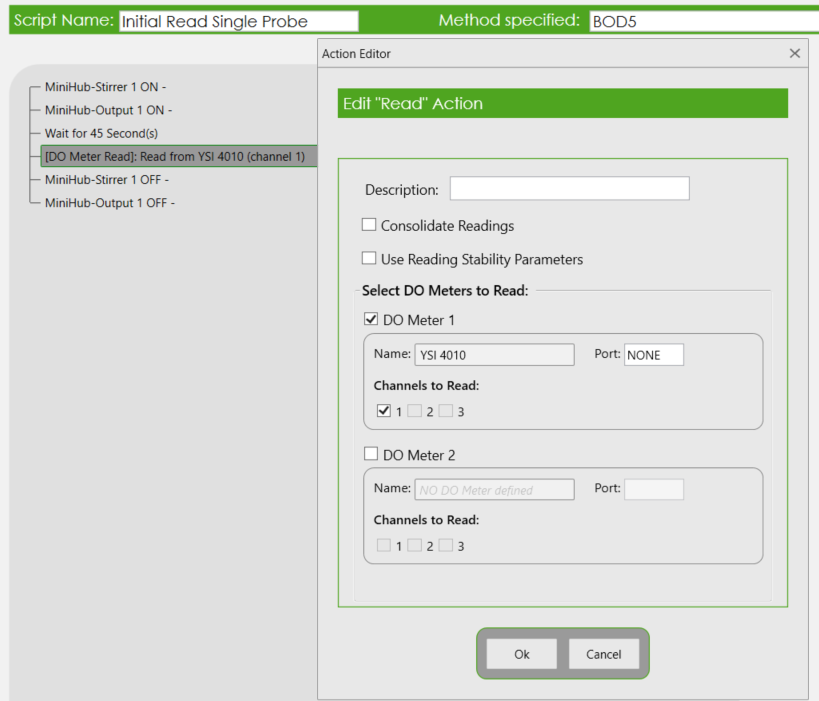
- Click on the ‘use Reading Stability Parameters‘ checkbox to enable the stability options feature.
- ΔDO: Change in Dissolved Oxygen.
- ΔT: Change in Time.
- Max Time: Maximum duration (i.e. Timeout).
- MANTECH recommends the following Set Time stability settings shown below. Therefore, Max Time could be set based on this information, if the DO stability did not meet the configured stability criteria:
- Optical Probe: Initials 45 seconds, Finals 90 seconds
- Membrane Probe: Initials/Finals 45 seconds
- After entering in the desired values, click OK.
- Important Note: The set time of 45 seconds or 90 seconds above the DO read action should be removed. If it is not removed, the sequence will wait the set time, and then enter into the DO stability settings configured above. Click Save Script once completed.
- Repeat steps 3-9 for Finals.
- Now, the main BOD sequence needs to be updated with these new read sequences. Click Load and find the main sequence used in standard operating BOD runs (Hint: The sequence might be favorited for easier referencing).
- Expand the Logic Condition ‘If (Processing Initials) Else‘ to expose the current read scripts.
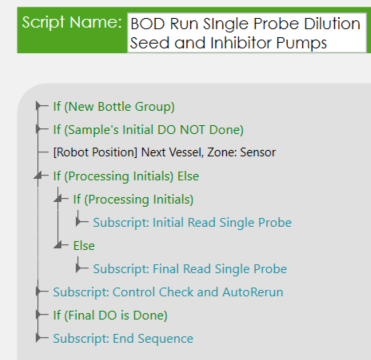
- Before removing the current scripts, it is easier to insert the new read scripts. Select the current read subscript first, then in the Dropdown menu beside Action, select Subscript. Then, click the Insert button. Select the respective read subscript.
- It is important that the script designated for Initials and Finals is added into the correct section of this Logic condition.
- The If holds the Initials read script sequence
- The Else holds the Finals read script sequence.
- After adding in the new read sequences, remove the previous scripts by selecting the script and using the Delete Scripts button.
- Click Save when completed.
Need assistance? Contact our technical support team here.
How do I setup a run in BOD Pro Software™ in which a bottle was pre-filled with dilution water or seed?
Procedure:
- Navigate to Template/Run Screen Settings.
- The main Run Screen adjusted will be the Initial BOD (i.e. Run Initials).
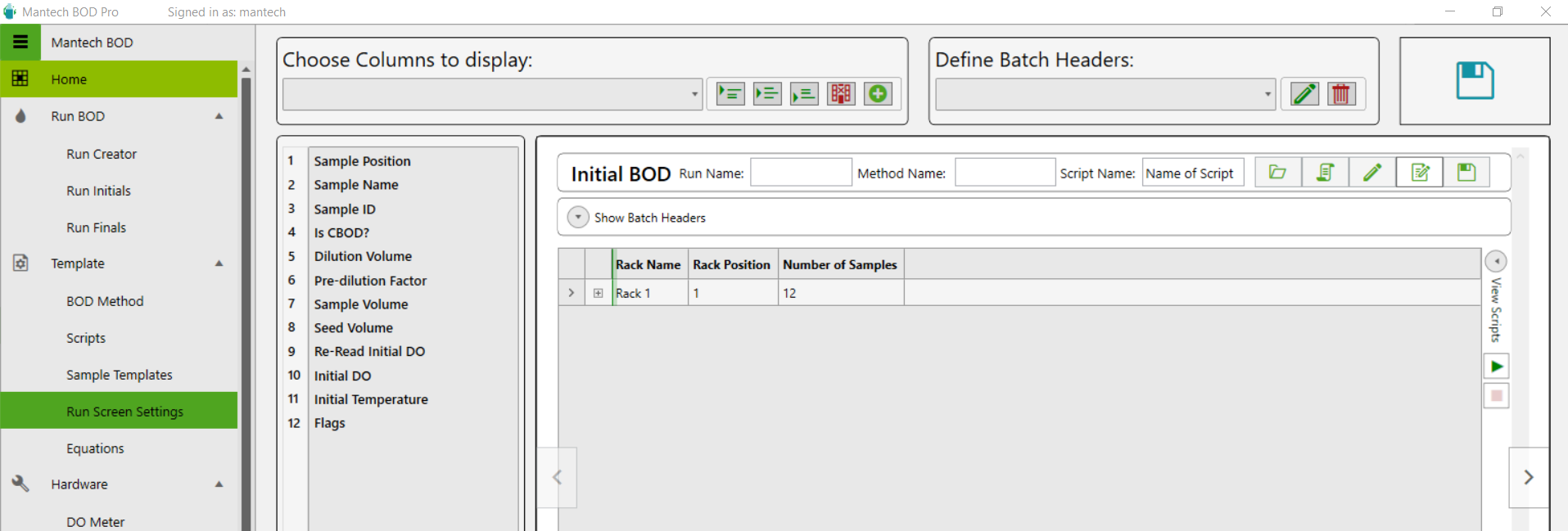
- The main Run Screen adjusted will be the Initial BOD (i.e. Run Initials).
- At the top, under the section called Choose Columns to display, there is a dropdown menu that will list all the possible columns that could appear on the Initials run screen. Locate ‘Dilution Added?’ and ‘Seed Added?’.
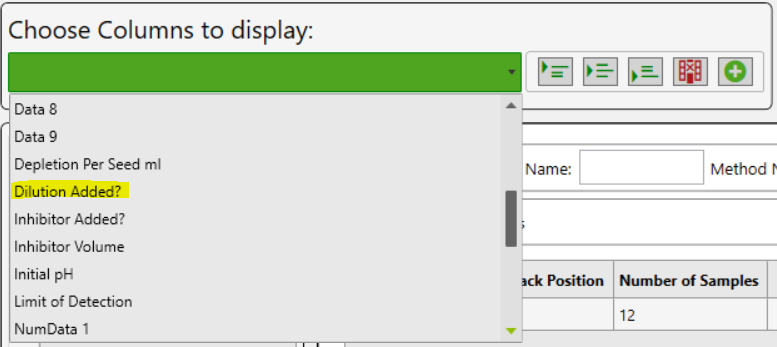
- Use any of the three options to insert into the list of columns down below.
- The column can be selected, then dragged into the desired position.

- The column can be selected, then dragged into the desired position.
- Repeat for all desired columns, and then click Save located on the top right of the screen.
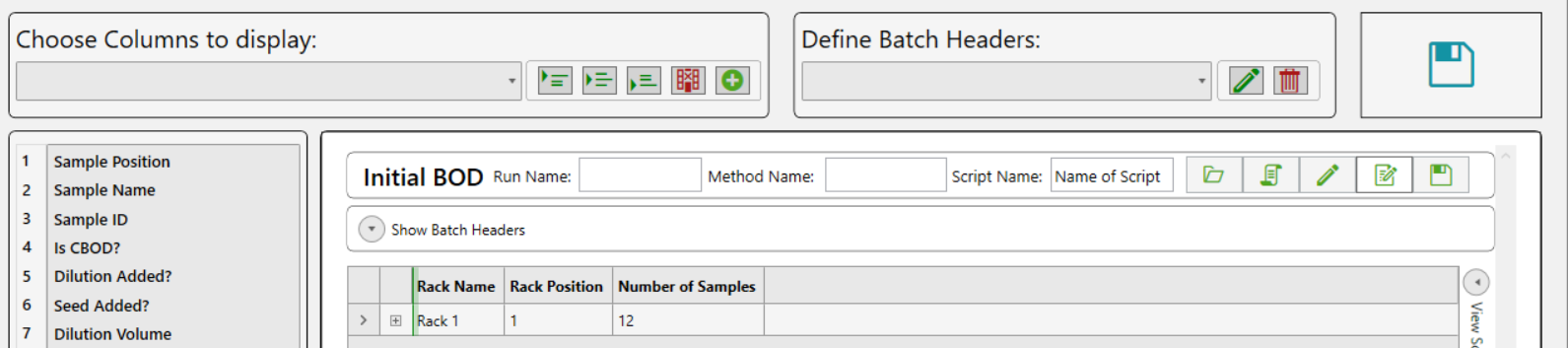
- Runs loaded on the Run Initials Screen will display the new additional columns. Simply check the checkbox if one or all of the reagent options were dispensed/pre-filled in the bottle.

Need assistance? Contact our technical support team here.
How do I manually enter DO and temperature readings in BOD Pro software?
- Load your run.
- Expand the run grid view of each rack:
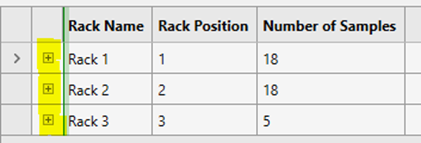
- Click the “Enter DO and Temperature Manually” button located beside the Save button.
- Once all DO and Temperatures are entered, click Save Run:

- Each sample that received a DO and Temperature entry will be highlighted green to denote that the DO information of the sample has been saved in the software.
- Load the “Calculation Script” to calculate the Depletion and BOD of all bottles.
Where do I change the sample editing and re-read settings in BOD Pro software?
Due to manual entry of sample name, volume, and potentially DO/Temperature information (if entering this information manually as well), there is a risk of typos/incorrect information entered into the run. Therefore, being able to change and update this information after the run has completed is critical.
Procedure:
- Navigate to Template → BOD Method.
- Load BOD5, or the active BOD Method used in your BOD Run sequence.
- Click on Settings (Gear Icon).
- There will be two sections under the Incubation header for:
- Max re-read time (hours)
- Max Sample Editing Time (hours)
- Extend the time period to the desired values, and click Save to ensure the settings on this menu is saved.
- Then click Save Method.
Hardware
How do I calibrate the temperature probe in MANTECH Pro software?
Temperature probes require calibration to increase accuracy. Once your temperature probe is installed ensure the driver is downloaded. Click here to download the driver, the computer will need to be restarted after installation of the driver. You are now ready to calibrate the temperature probe following these steps.
How do I change the buret IP address?
MANTECH burets have a static IP address assigned to them. These addresses can be changed if there are communication issues between the buret and the software. To avoid IP address conflicts, MANTECH recommends that all burets on the same network have unique IP addresses, not just ones on the same system. If an IP address needs to be changed, then you can manually change it using the following steps found here.
What are the dimensions and space requirements for MANTECH systems?
MANTECH’s AutoMax (AMXXX) autosamplers and On-Line (MO) systems come in a variety of sizes to meet different space and capacity requirements. View all the dimensions and space requirements here.
What are the power consumption specifications for MANTECH’s system modules?
Most MANTECH modules are low-voltage devices — the majority run on 24 V DC — and each module draws between roughly 1 W and 144 W at maximum load. Because a complete system’s total draw is simply the sum of the modules installed in it, the exact specification depends on your configuration. To size a power supply, UPS, or circuit, add up the maximum power consumption of each module in your build to get a conservative worst-case total. View the power consumption of each MANTECH system modules here.
How do I resolve USB connectivity issues between MANTECH modules and the system PC?
If the system computer loses its connection to the MANTECH modules, it is typically due to Windows turning off the USB ports to save power. To restore and maintain a stable connection, disable the USB selective suspend feature in your computer’s power management settings. View full instructions here
AM73, AM122, and AM197 Troubleshooting
Why do I experience communication issues with IntelliDose™ (metering pump) after using prime button on pump?
Typical error to appear is ‘Communication error! Cannot synchronize computer and drive baud rates’. Think of the pump have two modes, where: 1. When powering the pump ON the first time, the pump is in Auto mode. 2. When the Prime button on the pump is used (or pressed by accident), it switches the pump into Manual mode. a. Even though turning off the prime button stops the pump, the mode is still set to Manual. Therefore, power-cycle the pump to regain automation control.
How do I remove my electrode for maintenance?
Most MANTECH electrodes are connected to the Interface module via a BNC cable with an S7 connection. This S7 connection is located at the electrode cable junction, allowing for easy detachment from the cable, and removal of the electrode while leaving the cable in place. This applies to all electrodes except the Ammonia Electrode and all Conductivity electrodes.
How do I store my MANTECH Electrodes?
MANTECH recommends storing pH and other electrodes immersed in a 1:10 dilution of pH 4 buffer in Tap Water. Conductivity electrodes can be stored in air for system configurations that do not place it on the same holder as another electrode.
How do I replace the membrane of my ammonia ion selective electrode (ISE)?
Watch this short and informative demonstration on how to replace the membrane on an Orion ammonia ion selective electrode (ISE). https://www.youtube.com/watch?v=Lqj-B0WMwz4
How do I clean my colour flow cell?
For optimal performance, the flow cell should be cleaned from once a year to once a month, depending on the type of samples being analyzed. Manually pump 50 ml of 0.1 N Hydrochloric Acid into the color module and leave the cell to soak overnight. In the morning, pump 100 ml of deionized water through the module to rinse the cell. This process can be automated to occur after every rack of samples run.
How do I clean my conductivity probe?
For water soluble contaminants, rinse probe in deionized (DI) water. If ineffective, soak probe in warm DI water with household detergent for 15 – 30 minutes. For oil-based contaminants, rinse probe in ethanol or acetone for short (5-minute) periods.After cleaning, rinse probe in DI water to remove residual cleaning reagents. Perform a meter calibration before proceeding with sample analysis.
Why is there liquid leaking from my TitraSip™ system?
The presence of liquid beneath the TitraSip™ would be related to one of two things:
- Overflow from the vessel
- Leaks from the tubing
Generally speaking, the rinse pump for the TitraSip™ should be able to pump indefinitely with no risk of overflowing over the top of the glass vessel, and this is because of the top waste line connection. That top waste line should be able to drain liquid at the same rate that the pump delivers the rinse water, but to do this it relies on a clear line with no blockages, running downhill for its full length to the drain or waste container. Often when challenges arise with overflowing, it is due to part of the drain line not running downhill, or running horizontally for too long of a distance. Since it is all gravity-based draining, any place in the line where liquid can settle makes it more difficult for liquid to drain from the vessel. The same thing occurs when growth builds up inside the waste line restricting the flow path.
There is a quick way to test whether overflowing is the source of these challenges:
- Remove the top lid from the TitraSip™ vessel (storing the pH electrode in storage solution)
- Test the drain valve with the front switch and also drain any liquid that was in the vessel before
- Watching the vessel, use the front switch on the TitraSip™ to turn on the Rinse pump. Keep your finger on the switch.
- As the vessel fills, it should reach the top connection and start draining down the waste line. The liquid level may go above the connection for a brief second before the full draining starts, but it should not near the top of the glass vessel.
- IF it continues filling past the top connection and the liquid reaches the top of the glass vessel, turn off the pump. This would confirm that there is a draining challenge leading to overflows.
- IF the draining occurs properly, you should see the liquid level reach a stable level at the top connection, and the pump would be able to be left on indefinitely without overflowing. This would confirm there is NOT a draining challenge and it is likely a leak in the tubing.
How to retrieve cell constant from consort conductivity meter?
The cell constant can be retrieved from the GLP report, directly found on the meter. Press CAL, then press the Down Arrow key to select GLP, and press OK. Press OK again on Show Report.This will bring up the calibration information was the performed on the meter, including the cell constant value. You need to scroll down, using the Down Arrow key, to find the section called “Calibration”, where CC = Cell Constant (cm-1). Note: Scrolling to the bottom will show the previous cell constant.
How do I prepare my pH electrode for long-term storage or shipping?
To safely store or ship your MANTECH pH electrode, first fill the electrode with fill solution and fill the storage boot ¾ full with fill solution. Then, insert the probe into the boot and screw tight. Place the fill solution plug in its hole and parafilm over the plug, as well as around the body. Then, parafilm over the cable connection spot, making sure not to overlap with the parafilm around the plug.
I’m having troubles connecting my MiniHub. Is there a way to reset it to factory settings?
Yes! Follow our short tutorial on resetting your MiniHub™ to factory settings if it does not connect to the IP address of 192.168.1.10. Follow our updated technical bulletin here.
My DO meter isn’t communicating to BOD Pro Software™. Is there a way to reset it?
First, confirm the correct COM port is selected. If this does not work, you will need to the reset the meter’s firmware. For step-by-step instructions, view PDF here.
How do I retrieve calibration records from my YSI 4010 MultiLab IDS meter?
The YSI 4010 MultiLab IDS meter will store the records for the last 10 calibrations performed on the meter. The instructions for retrieving these calibrations can be found on Technical Bulletin 2021 – 010.
MANTECH Pro Software™
How to add gran alkalinity method to MANTECH Pro Software™?
Follow this step-by-step PDF on adding gran alkalinity method to MANTECH Pro Software™.
Is PC-Titrate software compatible with Windows 10 or Windows 11 Pro OS?
As a result of major security updates Microsoft has implement, MANTECH cannot guarantee that PC-Titrate will operate with updates in Windows 10 or 11 Pro operating systems. PC-Titrate can operate in virtual mode however, this leaves the analyzer vulnerable to viruses (leading to corrupted databases) and could impact the software when Windows updates are performed. Here is some more information about everything you need to know before updating to Windows 10…read more. In 2021, MANTECH introduced a line of all new hardware and MANTECH Pro Software™ designed for Windows 10 and 11 Pro OS – meaning that all security and OS updates can run concurrently.
There are a few different options to move forward:
- Install PC-Titrate on Windows 10 computer (no guarantee).
- Upgrade the software to MANTECH Pro Software™ which is backwards compatible with most hardware.
- Replace the entire system (all new hardware and software) with a trade-in discount for your existing system.
To discuss your options, please contact our team here.
How many cables and what kind are required to connect and MT30 system to the computer?
MANTECH Pro Software™ requires at least 4 USB cables on the computer. This is not including the computer’s mouse or keyboard. When required, the system will include a 4-port USB hub. Please see Technical Bulletin 2023-012 for a complete list of the minimum computer requirements.
How to perform a meter calibration for conductivity?
MANTECH Pro Software™ automatically performs a single-point calibration without requiring the USER to interact with the meter. A calibration method will not be required. Before running your calibration script, ensure that the meter settings is configured with your probe.
The following steps will outline how to calibrate the meter:
For Automated systems
- Add in your tray file, rinsing, move to tube location and jogging movement steps, prior to the calibration step.
- Add a ‘Timing’ action of 30 seconds. This will allow the meter to stabilize the conductivity reading.
- Add the ‘Conductivity Meter Calibrate’ action and select the conductivity meter configured in Hardware Setup.
- Complete the script, configure the Run Configuration table, and click ‘Go to Run’ to start the meter calibration.
For Manual systems
- Select ‘Misc.’ and type in instructions for analyst to manually dip the probe into the standard solution 3 times.
- Make sure to let the probe rest inside the solution and click ‘OK’ when stabilization icon appears on the Meter.
- Add the ‘Conductivity Meter Calibrate’ action and select the conductivity meter configured in Hardware Setup.
- Complete the script, configure the ‘Run Configuration’ table, and click ‘Go to Run’ to start the meter calibration.
How do I calibrate the flowrate of an IntelliPump™ (peristaltic pump) in MANTECH Pro Software™?
Procedure:
- Navigate to Hardware/Hardware Configuration/Peristaltic Pump.
- If there are multiple peristaltic pumps on your instrument, ensure the correct pump is selected from the drop down menu. Ensure the Flow Rate Source is Measured Flowrate.
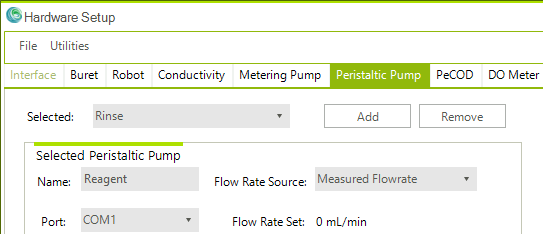
3. Select the Tubing size associated with the pump selected. Enter in a desired flowrate and click Estimate Pump Speed to automatically generate a speed that would be optimal to dispense the desired flow per minute. Next, click Set Speed.
- Note: The tubing size refers the tube’s inner diameter.
- Entering a pump speed instead would automatically generate an estimated flow rate.
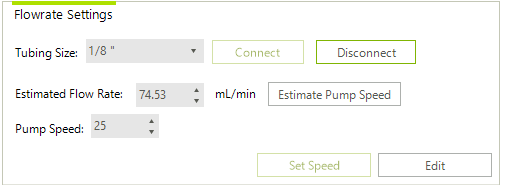
4. Enter in the desired duration to operate the pump for, and then click Start. Note: Ensure the pump line is primed with solution before starting your flowrate test.
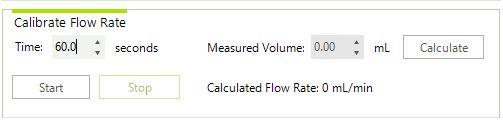
5. After the timer has counted down and the pump has dispensed solution, typically the test is repeated at least 3 times, and the averaged volume is calculated. Enter the averaged volume into the field called “Measured Volume”, then click Calculate. This will update the flowrate of the pump:
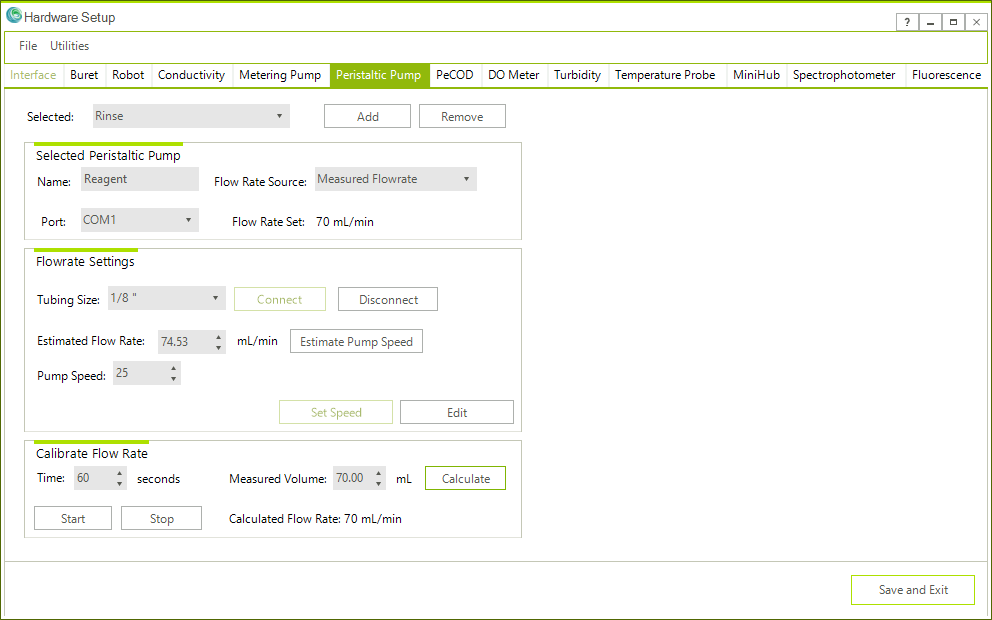
6. Click Save and Exit when finished.
Need assistance? Contact our technical support team here.
How do I calibrate the flowrate of an IntelliDose™ (metering pump) in MANTECH Pro software?
Procedure:
- Navigate to Hardware/Hardware Configuration/Metering Pump.
- If there are multiple metering pumps on your instrument, ensure the correct pump is selected from the drop down menu. Ensure the Flow Rate Source is Measured Flowrate.
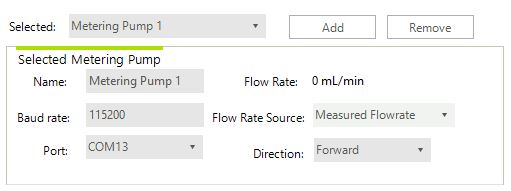
3. For the estimated flowrate, enter 30, then click Estimate Pump Speed. A Pump Speed of 300 RPM should appear. Now click Set Speed.
4. Enter in the duration you wish to operate the pump for, and then click Start. Note: Ensure the pump line is primed with solution before starting your flowrate test.
5. After the timer has counted down and the pump has dispensed solution, typically the test is repeated at least 3 times, and the averaged volume is calculated. Enter the averaged volume into the field called “Measured Volume”, then click Calculate. This will update the flowrate of the pump:
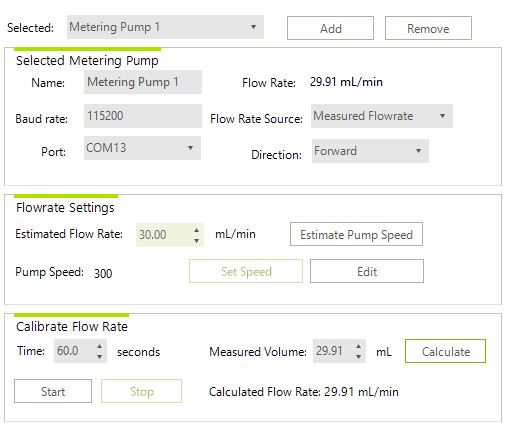
6. Click Save and Exit when finished.
Are you still experiencing difficulty calibrating your IntelliDose™ pumps? Contact our technical support team here.
How do I create a shortcut button in MANTECH Pro software?
- To start, you must be in the Setup → Run Configuration screen.
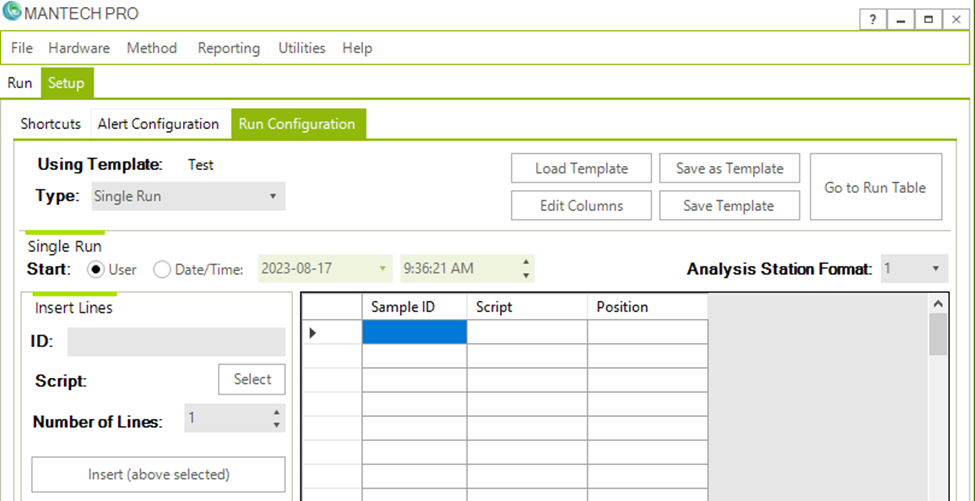
- Fill out the run table with the respective Sample IDs, Scripts, and Positions you wish the Shortcut button should load. Save As a Template and Define run template name.
- In this Example, I will create a Shortcut button to load a Calibration and a QC Check.
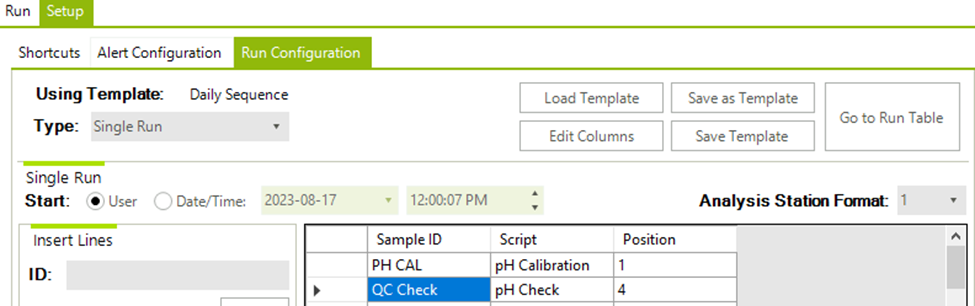
- In this Example, I will create a Shortcut button to load a Calibration and a QC Check.
- Navigate to Setup/Shortcuts screen. On the bottom right, select Edit.
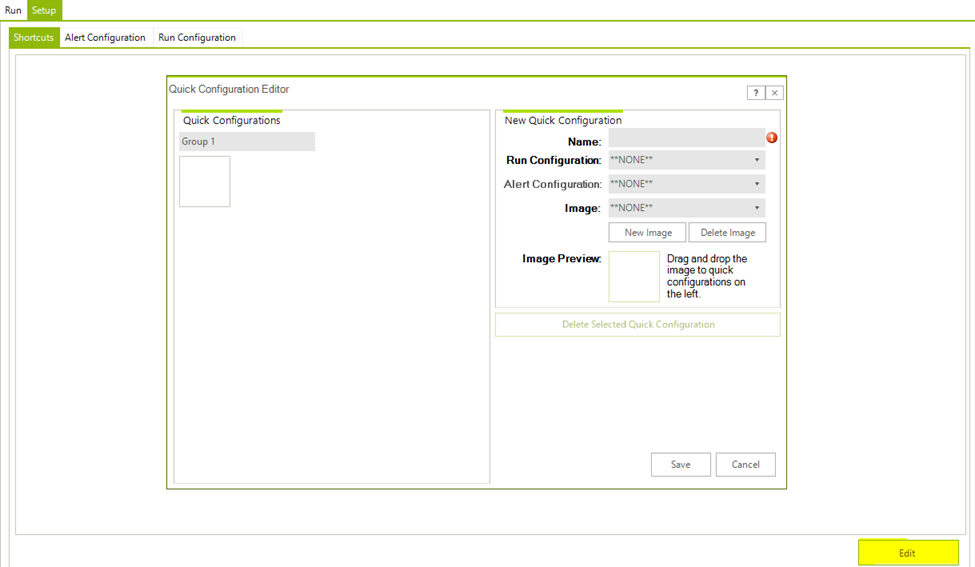
- The following information is required when creating the shortcut button:
- Name: User-Defined
- Run Configuration: Selected from the Drop down menu
- Image: Select an existing Image or add a New Image
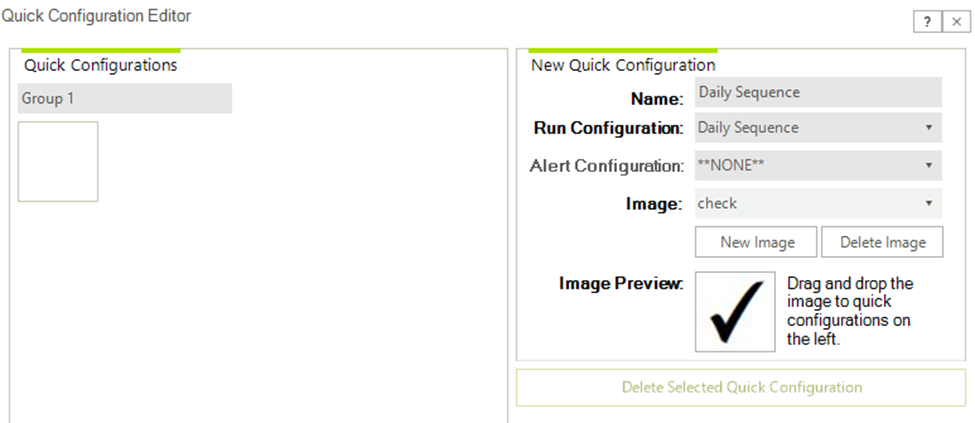
- Drag and Drop the Image from the Image Preview over to the left-hand side to an available open Blank box. Note: You may also edit each section of shortcut buttons here as well.
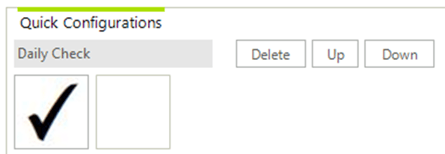
6. Repeat steps 1-5 for each shortcut button. Click Save when finished.
PeCOD®
How do I store my PeCOD® electrode block?
If only storing the electrode block for a short period of time (less than 4 weeks), rinse DI water through the PeCOD® and leave the electrode block inside. Make sure all of the sample has been washed through by priming Port A several times. If storing for more than 4 weeks, put DI water through the PeCOD® and then remove the electrode block to store outside the PeCOD®. Flush the channels with 20-30 mL of DI water before pushing through about 10 mL of NaCl, leaving the channels filled. Tape the ends of the channels to ensure no leaks or crystallization occur. For more information, read the storage instructions here.
What is the difference between the previous PeCOD® solutions and the Just Add Water solutions?
The Just Add Water electrolyte, calibrant, blank and QC check solutions contain all solutes typically present in our previous solutions and will only require the addition of the respective amount of water (deionized or distilled). This was done with the aim of reducing shipping costs and carbon emissions through a reduction in the amount of water present in the solution.
Why did the PeCOD® solutions change?
The formulations of the electrolyte, calibrant, blank, QC check solutions have not changed. By adding deionized or distilled water on-site vs. prior to shipping we have reduced the size and weight of the shipped bottles by up to 75%. This aims to reduce shipping costs, carbon emissions, and plastic waste which translates to a reduction in your cost per sample and carbon footprint.
What are the reasons for differences between the PeCOD® COD and Dichromate COD results in some cases?
Chemical Oxygen Demand (COD) results may differ when measured via the PeCOD® COD method versus the traditional dichromate COD method for certain sample matrices. There are various reasons for this difference. One is that chloride, ammonia, and some heavy metals have been known to interfere with PeCOD® readings and provide inaccurate results. Another reason could be the time delays between analyses. It is best to analyze samples via PeCOD® and dichromate on the same day to limit uncertainties due to sample degradation.
For additional reasons and more information, read MANTECH’s technical bulletin here.
Why does KHP measure high on PeCOD®?
The molecule on the surface of the PeCOD® sensor prior to analysis which is a peculiarity of KHP with the PeCOD® COD method. KHP (Potassium Hydrogen Phthalate) has historically been a common reference standard used in a variety of chemistry applications including the traditional dichromate COD test, where it does provide a result close to the theoretical COD result, and for TOC analysis. KHP is not recommended for use in the PeCOD® COD analysis as it over reports compared to the theoretical COD amount. This is predominantly due to some pre-concentration of the molecule on the surface of the PeCOD® sensor prior to analysis which is a peculiarity of KHP with the PeCOD® COD method.
It is important to note that for all COD methods there are specific molecules whereby the individual analytical result is not well aligned to the theoretical value. For instance, organic compounds such as propionic acid, diethylamine or nicotinic acid could not be used as a COD standard for the dichromate COD method due to poor correlation to theoretical results but could be suitable for the PeCOD® COD method. It is therefore important to chose a standard that provides a strong correlation to the theoretical result for the method employed, is a good reflection of the samples to be analyzed, is suitable for general laboratory use and is readily available. For details on preparing sorbitol and glucose-based COD standards for the PeCOD® COD method, read our Technical Bulletin 2017-029: PeCOD® Standard Recipe.
How do I replace the sensor in my PeCOD® Analyzer?
Open the top plastic door by pushing down firmly on the front centre of the door until a “click” is heard, then release the door. Open the PeCOD® analyzer module by pressing firmly down on the fixed bar, and lifting the front latching bar (should unlatch), then lift up the PeCOD® sensor lid. Remove the old sensor by lifting it off of the pins and place the new sensor on the same pins with the “THIS SIDE UP” surface (blue side) facing you.
Why does my PeCOD® plot more than one curve during calibration and sample analysis?
For calibration, the PeCOD® Analyzer goes through the following phases:
- Normalization Phase – This is where the PeCOD® Analyzer is adjusting the LED lamp output, trying to achieve a baseline of 20µA.
- Burn-In Phase (port B) – This is where the pre-mix blank solution is brought into the sensor cell. It is oxidized to remove contaminants from the cell.
- Pre-Burn Phase (port B) – This is where a new aliquot of pre-mix blank solution is brought into the sensor cell. This phase removed more contaminants from the cell and conditions the cell for the pre-mix blank.
- Oxidation (port B) – A new aliquot of pre-mix blank is brought into the sensor cell and is oxidized. This value is used in the peCOD calculation. The area under this curve is used to calculate the ‘blank charge’, which corresponds to the C value determined by each calibration. This is the small amount of COD contributed by the electrolyte reagent, which is then subtracted from all future COD analyses to give the final COD result.
- Pre-Burn (port A) – A new aliquot of pre-mix calibrant solution is brought into the sensor cell where it is oxidized. This removes contaminants from the cell and conditions the cell for the pre-mix calibrant.
- Oxidation phase (port A) – A new aliquot of pre-mix calibrant if brought into the sensor cell. This value is used in the peCOD calculation. The area under the curve is used to calculate the reference charge, which is used with the blank charge to determine the relationship between charge and COD. This corresponds to the M value determined by each calibration.
For sample analysis, the PeCOD® Analyzer goes through the following phases:
- Burn-In phase (port B) – The pre-mix blank solution is brought into the sensor cell and is oxidized. This removed contaminants from the cell.
- Pre-Burn phase (port A) – An aliquot of sample is brought into the sensor cell and is oxidized. This removes contaminants from the cell and conditions the cell for the sample.
- Oxidation phase (port A) – A new aliquot of sample is brought into the sensor cell and is oxidized. This value is used in the peCOD calculation. The area under the curve is used to calculate the charge generated by sample oxidation. The blank value will be subtracted from the sample value to determine the sample COD.
How do I change the number of calibrations and QC checks the PeCOD® does during each QC regime?
Click ‘File’ in the top left corner, and select ‘Preferences’. The ‘General’ tab will pop up, select the ‘QC Regimes’ tab. Here you can see how many calibrations, QC checks, and recalibrations the PeCOD® will preform for the ‘Startup (Daily) Regime’. To see the other regimes, select the ‘Startup (New Sensor)’ tab, or the ‘QC Routine’ tab in the second row. To edit the number of calibrations or QC checks, click the arrows beside the numbers to choose how many of each the PeCOD® will perform.
Why did my PeCOD® calibration fail?
It is possible that a PeCOD® will fail its calibration. If this occurs, the PeCOD® will notify you of the reason it did not pass. Common reasons are that the M value or C value are out of range. Please refer to page 19 of the PeCOD Pro Operation manual for more information.
How do I change the C value settings in MANTECH Pro Software™ and PeCOD Pro?
MANTECH now has a new PeCOD® sensor recipe that allows for more sample sensitivity. With this change, a parameter will need to be updated for use. The C value on the calibration and new sensor settings will no longer need to have an upper limit as the more sensitive burn on the sensor increases the C value. Click here to view a PDF on how to change your C value settings in PeCOD Pro and MANTECH Pro Software™.
What is MANTECH’s recommended passing criteria for the M value, C value, and I term when calibrating?
MANTECH’s recommended passing criteria varies for each colour range. The table below outlines the recommended criteria for each range.
| Parameter | ||||
| M | Green, Yellow & Red | 0.02 uC/COD | 0.08 uC/COD | N/A |
| Adv. Blue | 0.02 uC/COD | 0.08 uC/COD | N/A | |
| C | Adv. Blue | 50 uC | N/A | 12 |
| Green | 250 uC | N/A | 12 | |
| Yellow | 300 uC | N/A | 12 | |
| Red | 300 uC | N/A | 12 | |
| LED | N/A | 465 mA | N/A | |
What does the Class 3B warning label on the PeCOD® COD Analyzer head mean?
The PeCOD COD Analyzer has a warning label on the analyzer head “DO NOT OPEN ANALYZER LID WHILE IN OPERATION” and “CAUTION: CLASS 3B INVISIBLE LASER RADIATION. AVOID EXPOSURE TO BEAM.” There are two normal LED lights (one red, one green), and one (invisible) Class 3B UV LED laser. The red LED light is an error indicator and is a non-harmful light. The green LED light is the power indicator and is also a non-harmful light. The Class 3B UV LED Laser is the catalyst for TiO2 oxidation of organics. This laser is harmful to your health, however, there are automatic laser shut down features built into the PeCOD so the laser is turned off when the lid is opened. This lid should not be tampered with or modified as the Class 3B laser is hazardous to your health.
What is a QC Check in the PeCOD® calibration?
When calibrating the PeCOD®, the final step of the QC regime is to complete a QC Check on the calibrant solution. This will analyze the COD value of the calibrant solution to confirm the accuracy of the calibration.
How do I edit PeCOD® Parameters in MANTECH Pro Software™?
For a video tutorial on changing PeCOD® parameters in MANTECH Pro Software™, click here.
How do I edit the passing criteria for a QC Regime in MANTECH Pro Software™?
For a video tutorial on changing the passing criteria for a QC regime in MANTECH Pro Software™, click here.
What do the error codes displayed on the PeCOD® analyzer mean?
For information about what the error code displayed on your PeCOD® analyzer represents, click here.
Get Smarter Solutions, Today.
Our innovative water and wastewater analyzers have faster, safer processes, with fewer hazardous reagents. Start using MANTECH solutions for more accurate data that drives responsible outcomes.